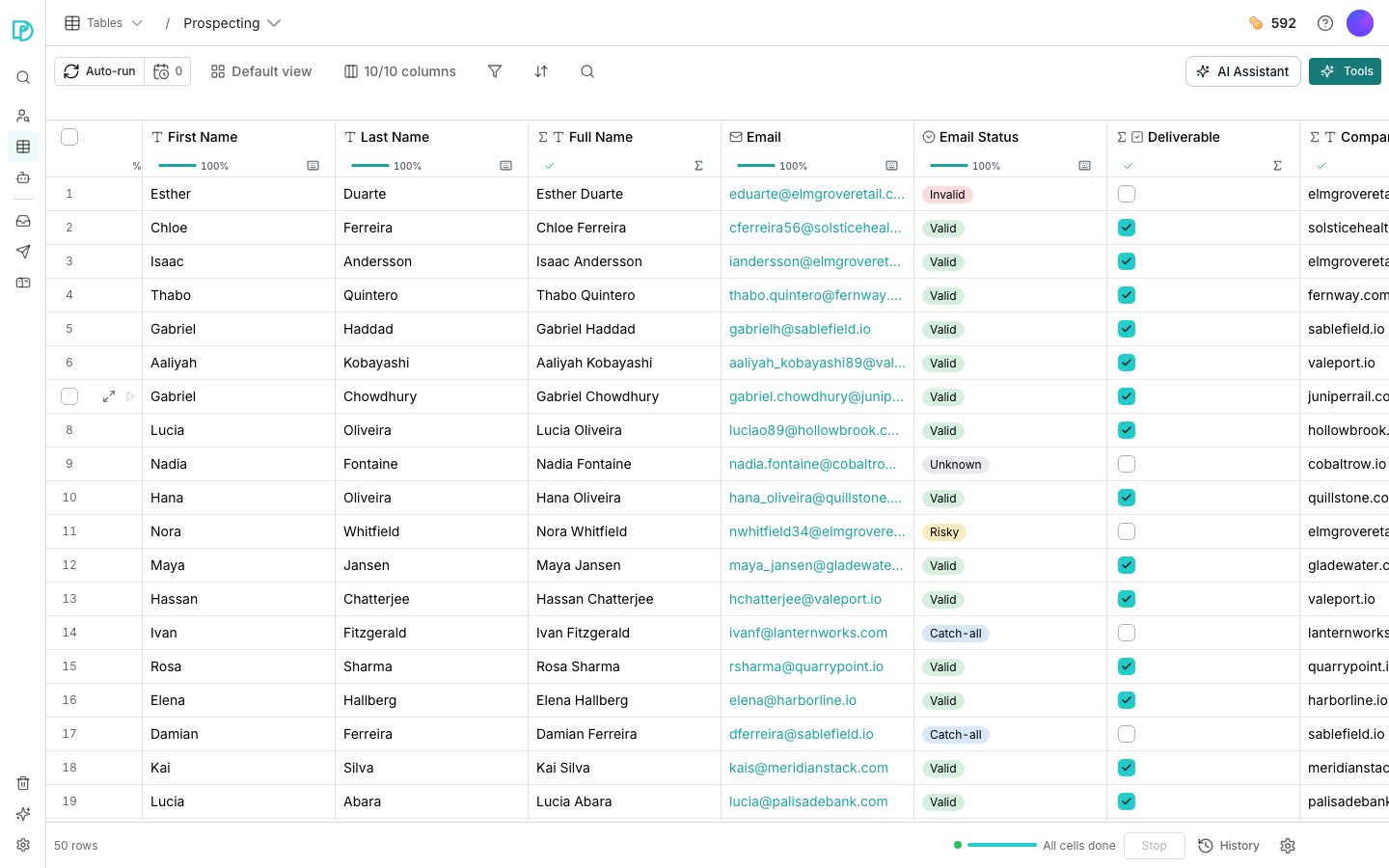
A table open on its grid.
Work with rows and cells
1
Open a table
Click Tables in the sidebar, then click a table to open its grid.
2
Edit a cell
Click a cell to select it, then type to replace what is there. Double-click to edit the existing value instead.
3
Add rows
At the bottom of the grid, set a count and click Add. The rows land empty at the end.
4
Open a row in full
Hover a row’s gutter and click the expand icon. The panel lists every visible column as a labelled field, which is easier than scrolling sideways.
Act on several rows at once
Tick a row’s checkbox in the gutter, or the header checkbox for the whole page, then click Actions.Good to know
Can I undo deleting rows?
Can I undo deleting rows?
A delete shows an undo for a few seconds. After that the rows are gone for good.
How is clearing a cell different from deleting a row?
How is clearing a cell different from deleting a row?
Clearing empties the value and leaves the row in place. A computed column will fill it again on its next run.
Can changing a column's type blank cells?
Can changing a column's type blank cells?
Values that cannot be read as the new type are cleared, so switching a text column to Number loses anything that was not a number.
Why can't I hide the last column?
Why can't I hide the last column?
A table always shows at least one column, so the last one cannot be hidden or deleted.
How do I rename, reorder or hide columns?
How do I rename, reorder or hide columns?
Double-click a header to rename it in place, or open its menu for Rename column. Drag a header to reorder it.The columns control in the toolbar shows a count, like “10/10 columns”. Open it to hide a column or drag it to a new position.
Can I fill and paste like a spreadsheet?
Can I fill and paste like a spreadsheet?
A selected cell has a drag handle at its corner that fills its value down the column. Pasting more rows than the table holds adds the extra rows.
Where do structured values unpack?
Where do structured values unpack?
A cell holding a whole record shows as a single value in the grid. Open the row panel and it unpacks into its fields, each of which you can give its own column.
Next steps
Enrichment columns
Add a column that fills itself in from outside data.
Function columns
Compute a column from the data you already have, for free.
Views
Change what you are looking at without touching the data.
Run columns
Decide when a computed column fills its cells.