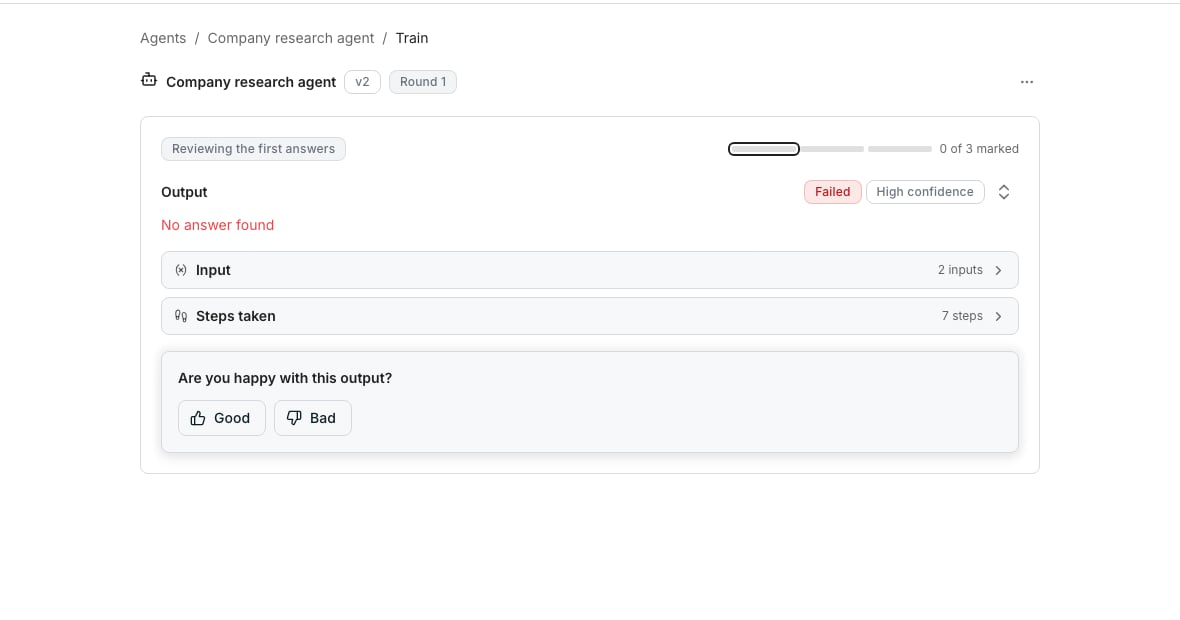
Reviewing one example during a training round.
Rate a cell any time
Right-click a cell, or a selection of them, and choose Looks good or Needs work. Or open the cell and use the same two buttons at the bottom of its drawer. A note on a Needs work rating is optional there, but it is the detail a rewrite can act on. In the drawer, click Add note to say what was wrong.Run a training round
1
Open Train
Open the agent and click the Train tab, or Train agent in its Training card. The row menu on the agents list has Train agent too.
2
Choose training data
Pick Enter manually to type example rows, or Use a table to run against real ones. Click Run examples once your rows are ready.
3
Check each example
Click Looks good, or click Needs work and say what is wrong and what it should have returned instead. Once every example has an answer, the summary counts them.
4
Decide on the change
Click Teach the agent, then read What will change. Click Keep this change, Try a different note for another draft, or Discard.
Good to know
What happens if I discard a training round?
What happens if I discard a training round?
The examples and feedback are kept as history, but the round ends and the agent is free for a new one. A revision you already approved stays applied.
Does discarding a change lose my earlier rounds' feedback?
Does discarding a change lose my earlier rounds' feedback?
No. Discard drops only this round’s change and its notes. Feedback from earlier rounds is kept.
What if the new prompt still gets an example wrong?
What if the new prompt still gets an example wrong?
Mark it Needs work again with a fresh note. An example left unchanged since your last note is flagged, so you know it still needs attention.
Can I change the effort level mid round?
Can I change the effort level mid round?
Yes. Open Change effort from the training screen’s menu, without leaving the session. The next round uses whatever you save.
Next steps
Agent versions
See what an approved revision does to earlier versions.
Read an agent run
Look at the trail behind an answer before you decide it is wrong.