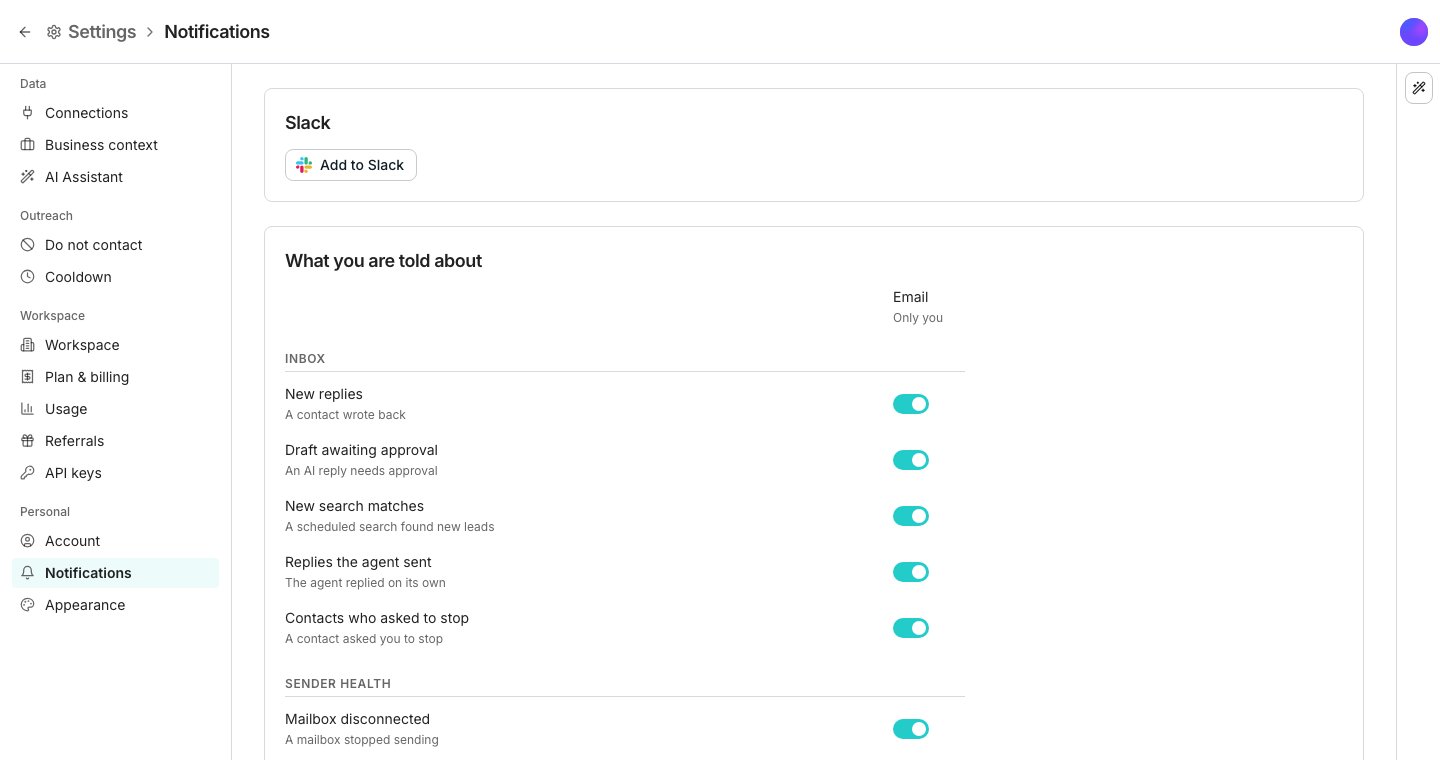
The Notifications settings page.
Choose what you hear about
Every notification sits under one of three groups: Inbox, Sender health or Credits. Each has its own Email switch and, once Slack is connected, its own Slack channel picker. That lets a reply go to email while a disconnected mailbox goes to Slack. Email reaches only you. Slack reaches the whole workspace.Route alerts to Slack
On Notifications, click Add to Slack. Connect once, and a Slack column appears so every notification can route to any channel from then on. Set a different channel for each notification, or turn Slack off for one and leave it on email only.Notify a channel when a reply is labeled
Below the main grid, Add rule sends a notification to a Slack channel you choose whenever a reply gets a specific label. It needs Slack connected first. A label with no rule stays quiet, which is how out-of-office replies avoid pinging anyone.Stop emails about using Oneprofile
The person who created the workspace also gets a few emails about using Oneprofile. They name the next Getting started step, say when the workspace has gone quiet, and sum up each week’s results. To stop them, use the unsubscribe link at the bottom of any of them. The switches on this page do not change them, and nobody else in the workspace gets them.Good to know
What do emails about using Oneprofile know about my workspace?
What do emails about using Oneprofile know about my workspace?
To send the right one, Oneprofile shares a few facts about the workspace with Loops, the service that sends our email. Those are its name, its plan (free or paid), which Getting started steps are done, when it was last used or last ran something, and last week’s replies, positive replies, meetings booked and credits spent. Your leads, messages and table data are never shared.
What are the individual notification types?
What are the individual notification types?
- Inbox: New replies, Draft awaiting approval, New search matches, Replies the agent sent and Contacts who asked to stop.
- Sender health: Mailbox disconnected, LinkedIn account paused, LinkedIn browser offline and Agent sending paused.
- Credits: Low credits, Credits exhausted and Work paused.
Can I turn off a whole group at once?
Can I turn off a whole group at once?
No. Every switch and channel picker works one notification at a time, not per group.
What happens if I disconnect Slack?
What happens if I disconnect Slack?
Your label rules keep their channels, so reconnecting the same workspace restores routing without setting it up again.
Next steps
Inbox
See where replies and drafts land once a notification points you there.
Usage and reports
Check credit balance directly instead of waiting for an alert.