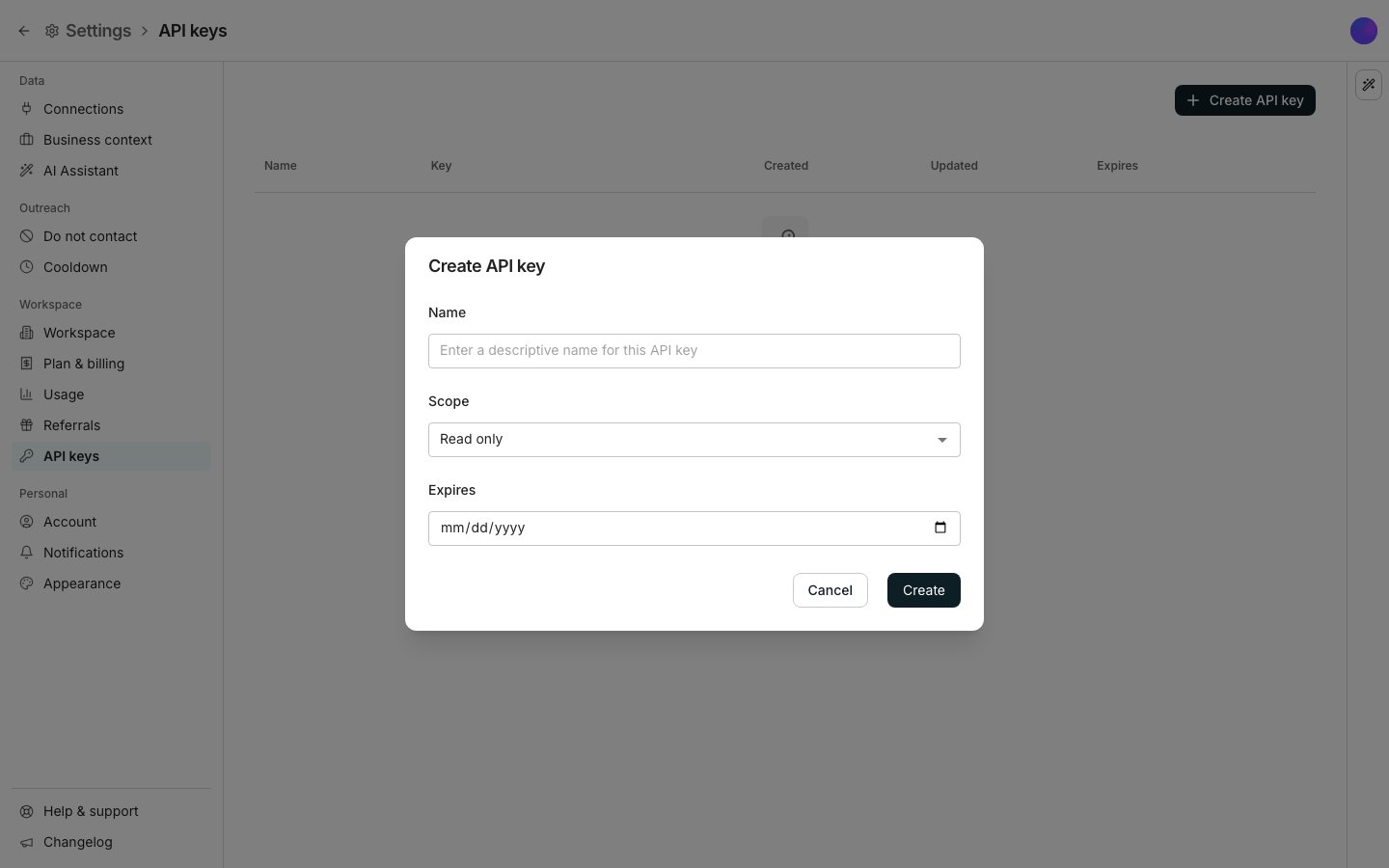
Create API key, with Scope set to Read only.
Create a key
1
Click Create API key
Give it a name that says what will use it.
2
Set Scope
Choose Read only or Read and write. Free workspaces can only create Read only keys.
3
Set an expiry, or leave it open
Leave Expires empty and the key never expires on its own.
4
Copy the key
Click Create. The key’s value shows once, so copy it now.
Edit or delete a key
Click a key’s name to open Edit API key, where you can rename it or change its expiry. Its scope is fixed once created. Delete removes it immediately and cannot be undone, so whatever was using it stops working right away.Good to know
Can I see a key's value again later?
Can I see a key's value again later?
No. It shows once, right when you create it. If you lose it, delete the key and create a new one instead.
Do API keys have limited permissions?
Do API keys have limited permissions?
Yes. Every key is created as Read only or Read and write; Read only can look but not touch. A Read only key that tries to change something is refused: “This API key can only read. Use a key that can write to change the workspace.” Treat every key like a password, whatever its scope.
What happens when a key expires?
What happens when a key expires?
It stops working on its expiry date. Anything still using it needs a new key before then.
Can Claude or ChatGPT connect with an API key?
Can Claude or ChatGPT connect with an API key?
No. AI apps connect with sign-in, not with a key. See AI apps.
Next steps
Usage and reports
See what a key’s own requests have spent.
Workspace and team
Manage who in your workspace can create a key.