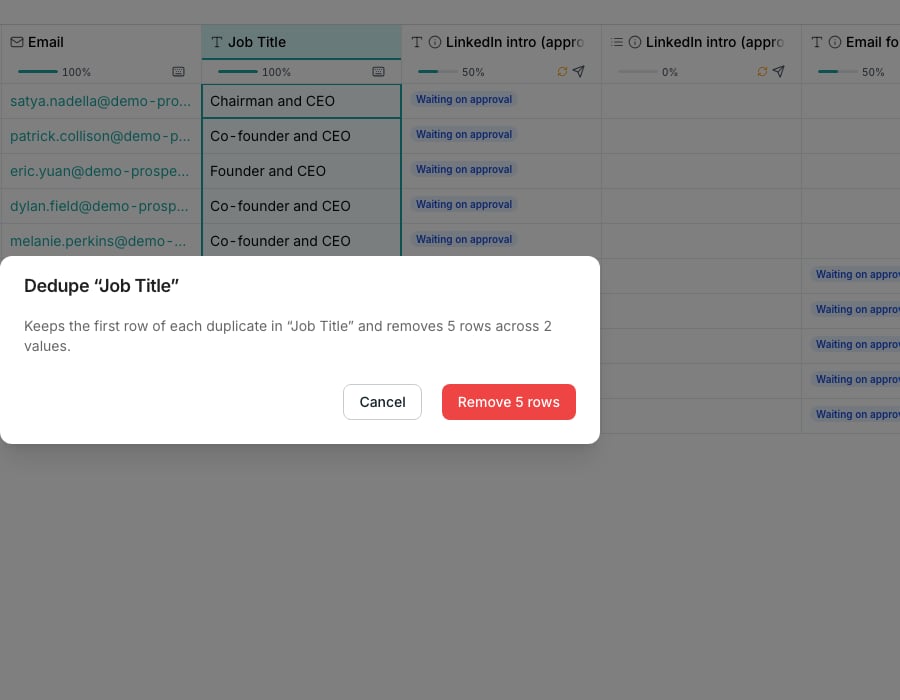
The dedupe dialog, before removing repeats.
Remove duplicate rows
Open a table in Tables and open a column’s header menu. Open More and choose Remove duplicates to match on that column. Or open History below the table, choose Remove duplicate rows and pick the column to match. The dialog names how many rows it will remove before you commit. It keeps the first of each repeated group and deletes the rest.Split a column into parts
From a column’s header menu, open More and choose Split into columns. Under Split on, pick Space, Comma, Semicolon, Tab, or Custom… for your own character. Set Columns to how many parts you expect. New columns sit beside the original, which is left untouched. They stay live, so they re-split when the source cell changes.Merge two columns
Add Merge columns from the catalog and pick the columns under Source columns. Set a Separator to sit between their values. Skip empty values is on by default, so a blank side leaves no dangling separator.Give a nested field its own column
An enrichment result with several fields, like an address, can give any one of them its own column. From the column’s header menu, open More and choose Give a field its own column…. In a cell’s drawer, click the field’s Give this field its own column icon instead. Create a new column adds one linked to the parent, and it recomputes when the parent does.Good to know
What counts as a duplicate?
What counts as a duplicate?
Rows with the exact same value in the column you picked. Blank cells never match each other, so rows with an empty value there are left alone.
Why is Remove duplicates greyed out?
Why is Remove duplicates greyed out?
There is nothing to remove. Hover it for the reason: Needs at least two values to compare, or No two rows share a value here.
Can dedupe match on more than one column at a time?
Can dedupe match on more than one column at a time?
No, one column per run. Run it again on a second column to narrow further.
Is removing duplicate rows the same as an automatic dedupe on new rows?
Is removing duplicate rows the same as an automatic dedupe on new rows?
No. This is a one time cleanup you trigger yourself, not a standing rule that catches every row that arrives afterward.
Can I undo a dedupe?
Can I undo a dedupe?
A short window right after removal lets you undo it, the same as any row delete. Past that, the rows are gone for good.
Is there a limit on how many duplicate rows I can remove at once?
Is there a limit on how many duplicate rows I can remove at once?
A very large batch may need running twice. The dialog tells you if it only cleared part of the table, so you can run it again for the rest.
Can I check a split before the columns are created?
Can I check a split before the columns are created?
Yes. A preview sits in the dialog and updates as you change Split on or Columns.
What column types can't be split, merged or deduped?
What column types can't be split, merged or deduped?
A column holding a list or a nested object has no single value to compare or split, so Remove duplicates and Split into columns are unavailable on it.
Can a nested field write into a column I already have?
Can a nested field write into a column I already have?
Yes. Use an existing column overwrites that column’s values, and that cannot be undone. A new column can be renamed like any other.
Does giving a field its own column cost credits?
Does giving a field its own column cost credits?
No. The new column reads a value the enrichment already fetched, so it has nothing new to compute.
Next steps
Enrichment columns
See where a multi-field result like this comes from.
Table settings
Rename the table, set how its columns run, and the rest of the table-wide controls.