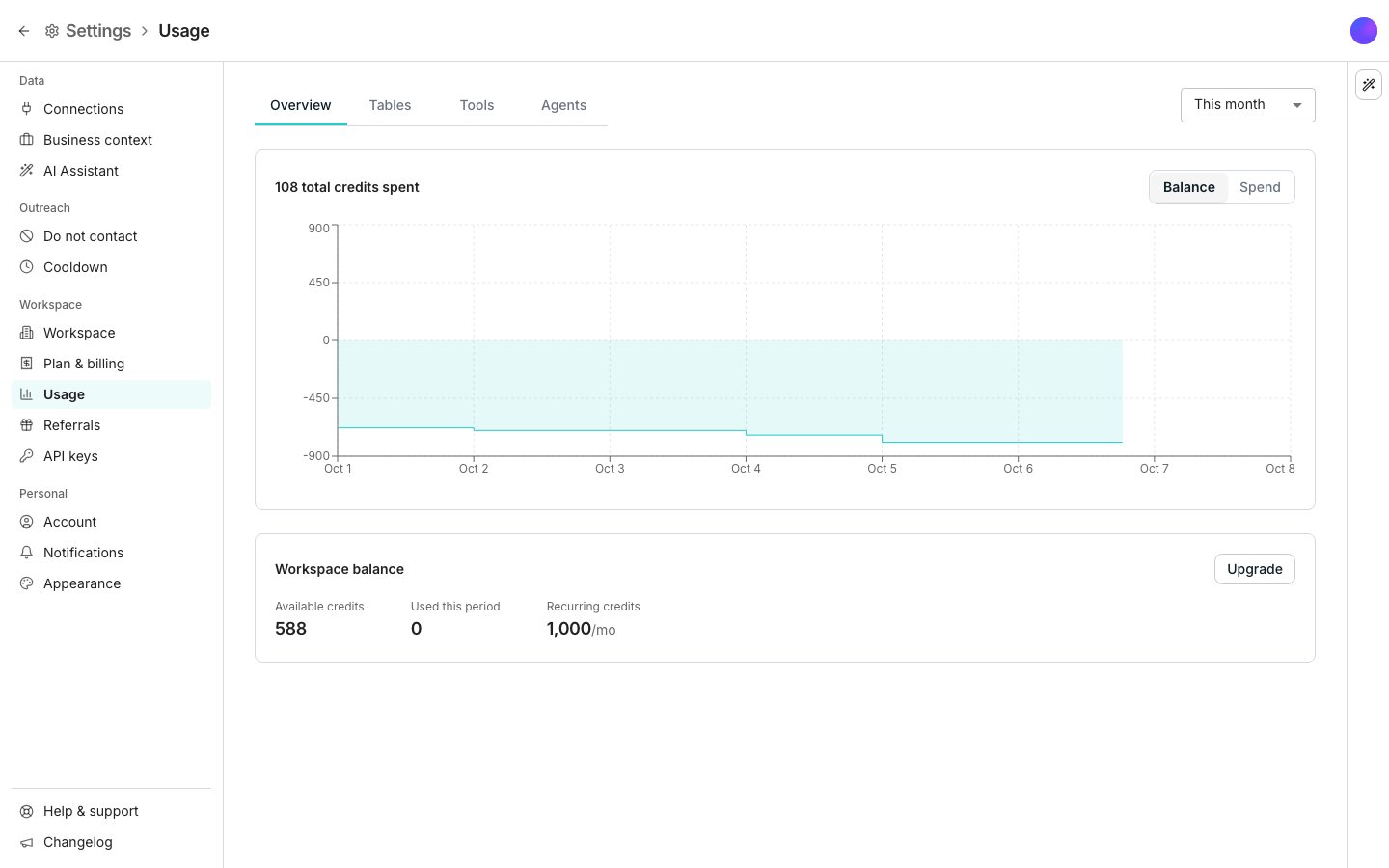
The Usage pane in Settings, on the Overview tab.
What spends credits
Every fresh enrichment costs credits based on what it looks up. Enrichment columns and AI agent columns spend them when they run. Formula columns, manual edits, and syncs are always free.Check your balance
Click the credit balance in the top bar. The popover states your balance, such as “5,800 credits available”, and the date your plan’s credits refill. The balance can be more than a month’s credits, because unused credits roll over and bought credits add to them. Its actions depend on your plan. View usage always shows. A paid workspace also gets Manage plan and Buy credits, and a free one gets Upgrade instead. The same balance shows as Workspace balance on the Plan & billing and Usage panes in Settings, as Available credits and Used this period. The Usage pane adds Recurring credits.See where your credits went
Open Usage in Settings. Overview shows total credits spent for the date range you pick, with a Balance and Spend toggle over the chart. Tables, Tools, and Agents break the same spend down by table, by tool, or by agent.Buy credits
1
Open the chooser
Click Buy credits in the balance popover, or on the Workspace balance card.
2
Pick one of the two ways
Buy credits once adds credits one time and leaves your plan alone. Buy credits every month raises the credits your plan grants each month.
3
Confirm the amount
To buy once, click a preset or type your own number into Credits. The dialog shows the price and your balance after the purchase before you pay.
Buying credits needs a paid plan. On a free workspace the same places show Upgrade, which opens the plans.
Good to know
Do credits expire?
Do credits expire?
Unused credits roll forward month after month, so nothing is lost by not spending them right away. Credits you buy arrive as soon as your payment goes through and stay on the account until you spend them.
What happens when I run out?
What happens when I run out?
Enrichments go on hold until you have credits again. Formula columns, manual edits, and syncs keep running.The balance in the top bar turns amber when credits are low and red once they are gone. The popover tells you what to do next.
How do I read the Usage tables?
How do I read the Usage tables?
Each row shows Credits spent, Refunded, Units, Charges, and Avg cost per unit, under a Workspace total. Expand a row to see the columns or accounts underneath it. The date range above the tabs applies to every tab at once, and Export downloads the report as a CSV.A table run records a charge every few seconds while it works, so one run can add several to Charges. Credits spent is the total that matters.
How far does usage history go back?
How far does usage history go back?
Detailed usage history covers a recent window, and the totals behind it are kept for longer. Older activity is kept as monthly summaries.
How do I change my plan?
How do I change my plan?
In Settings, Plan & billing shows your current plan, its status, the credits it grants each month, and your renewal date. Manage plan changes tiers, and Size your plan estimates what a different plan would cost for the usage you already have. The dashboard is the only source of truth for prices and plan names, because both change.
Why did my balance go up?
Why did my balance go up?
Plan & billing lists Credit activity below the balance: the date, type and credit amount of every plan grant, purchase and reward, with Load more for older ones. Your payment method and your invoices sit below that.
Next steps
Enrichment columns
Add work emails, phone numbers and company facts from outside sources.
Workspace and team
Rename the workspace, invite people, and find every setting.
Enrich people data
Watch credits spend as new data arrives.