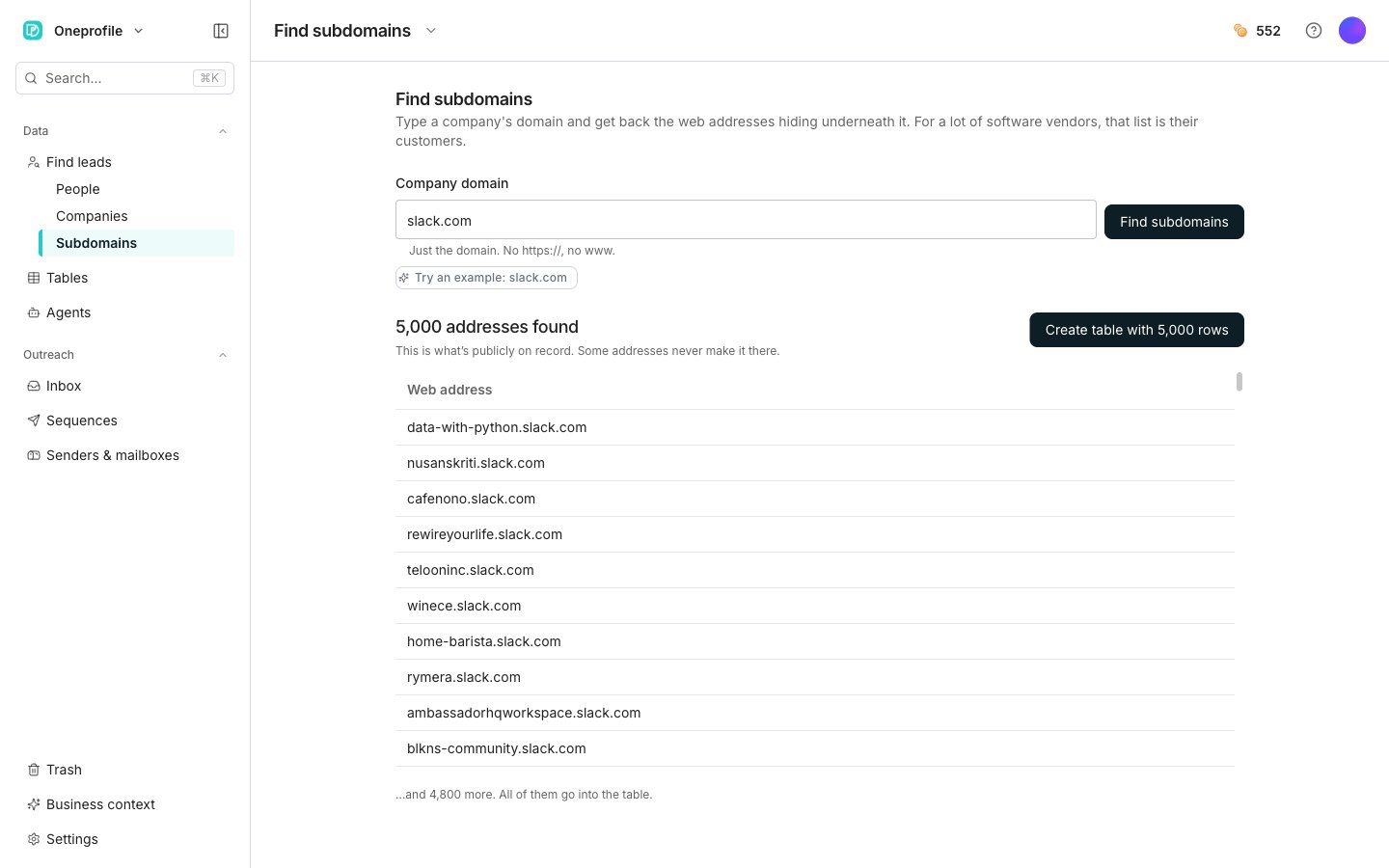
A finished search, with its Web address results.
Search a domain
1
Enter the domain
Type it into Company domain. Just the domain, so leave off
https:// and www.2
Run the search
Click Find subdomains. The page tells you what it is doing while it reads.
3
Read the results
A line says how many addresses were found. Under it, a single Web address column lists the first 200 of them.
4
Create the table
Click Create table with N rows, which shows the exact number of addresses it will add. Oneprofile names the table after the domain and opens it.
Good to know
The search is taking a long time
The search is taking a long time
That is normal, and the page says so as it waits. It starts on “Reading the public record…”, then says it is taking the slow route, then that big companies have a lot of addresses.
After a couple of minutes it tells you that you can leave the page. The link still has the result when you come back. A reload or a closed tab rejoins the same search instead of starting a second one.
Nothing came back
Nothing came back
The page says “Nothing came back for” your domain. That usually means one of two things.The company may cover all its addresses with a single catch-all certificate. That leaves nothing public to read. Or there genuinely are not any.Try their other domains. Plenty of companies run customer sites on a separate one.
The search failed
The search failed
You get “The public record didn’t answer” and a Try again button. It is a free service and it is often busy, so nothing is lost on your side. A search that stops responding altogether says “We lost track of this search” instead, and nothing was charged for it.
How does this work?
How does this work?
The page carries its own How does this work? explainer under the empty state. Every web address that starts with
https:// needs a security certificate, and every certificate ever issued is written into a public record anyone can read.Software companies usually give each customer their own web address, like refinery29.slack.com. Typing one of their domains reads that record back to you, and their customer list tends to come with it.Next steps
Enrichment columns
Fill in details for every address you found.
Find people and companies
Search with filters instead of a domain.