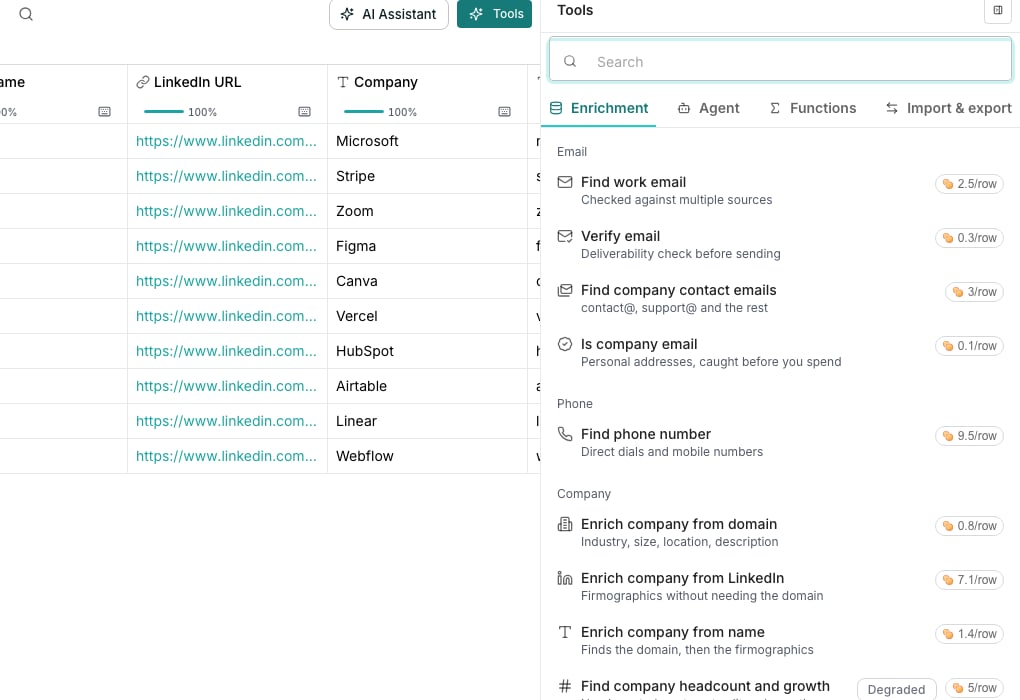
A column's run menu, with its estimated cost.
Read the cost before you run
A credit chip sits beside every enrichment action and column, so the cost is visible before you commit. Where an enrichment’s sources are priced differently, it shows the most a row can cost and what a row usually costs. A run menu adds the estimated total for the rows it would cover.Know what you are charged for
An enrichment that looks data up charges each row the price of the source that answered it. A row that comes back empty costs nothing, and so does an answer reused from an earlier run. A Use AI row pays for what it used, answer or not. A failed or skipped cell never charges.Spot the cheaper option
Of two rows that do the same job, the one that can cost less carries a Cost efficient tag, unless the two tie.Good to know
Why does an estimate differ from what I'm actually charged?
Why does an estimate differ from what I'm actually charged?
The estimate holds the most the run could cost. Each row is then charged the price of the source that answered it, or nothing, so most runs cost less. What a run did not use is released when it finishes.
Why do phone numbers and personal emails cost more?
Why do phone numbers and personal emails cost more?
Their sources charge far more than the rest, so these enrichments are priced close to what those sources cost. A row still pays only for the source that answered it.
Does the same row cost the same every time it runs?
Does the same row cost the same every time it runs?
Not always. An identical question answered recently can be reused for free instead of paid for again. See Re-runs and cached results.
Next steps
Re-runs and cached results
What happens when you run the same rows twice.
Credits and billing
Where your balance lives, and how to buy more.