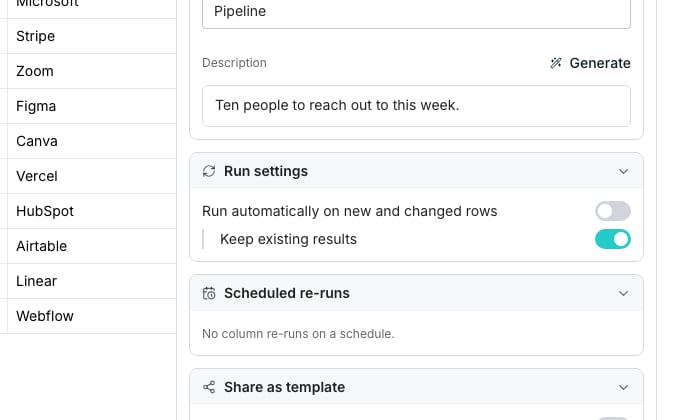
Keep existing results, under Run settings in Table settings.
Rerun only what needs it
Keep existing results sits under Run automatically on new and changed rows in Table settings. With it on, a run only recomputes cells that are empty, out of date or errored. For the same effect on demand, open a column’s run menu and pick Run empty or out-of-date rows. Run all rows recomputes everything anyway. When a row changes, a paid column keeps its answer if what it reads is the same, and nothing is charged. An AI column that reads the whole row runs again when any of it changes. Failed cells and Run all rows always ask again.Reuse an earlier answer
Two rows asking the same question, like the same name at the same company, can share one answer instead of paying twice. This only applies while that answer is still fresh, and only within your own workspace. A row where nothing was found is never reused, so it is tried again in full every time.Good to know
Does Keep existing results ever overwrite an answer I already have?
Does Keep existing results ever overwrite an answer I already have?
No. It skips any cell that already holds a value, whether that value came from a run or from you correcting it by hand.
How do I force a brand new answer instead of a cached one?
How do I force a brand new answer instead of a cached one?
Run all rows always recomputes the cell, but an identical question asked recently may still return the same answer. Change an input, even slightly, to guarantee a fresh lookup.
Does a failed cell ever come back for free?
Does a failed cell ever come back for free?
Yes. Run failed rows only touches cells that errored, so nothing that already succeeded is recomputed or charged again.
What counts as out of date?
What counts as out of date?
A cell whose inputs changed since it last ran. It keeps showing its old answer, marked stale, until the column runs again.
Next steps
Run columns
Run a column yourself, or let it run by itself.
Improve your fill rate
Better inputs fill more rows than more runs do.