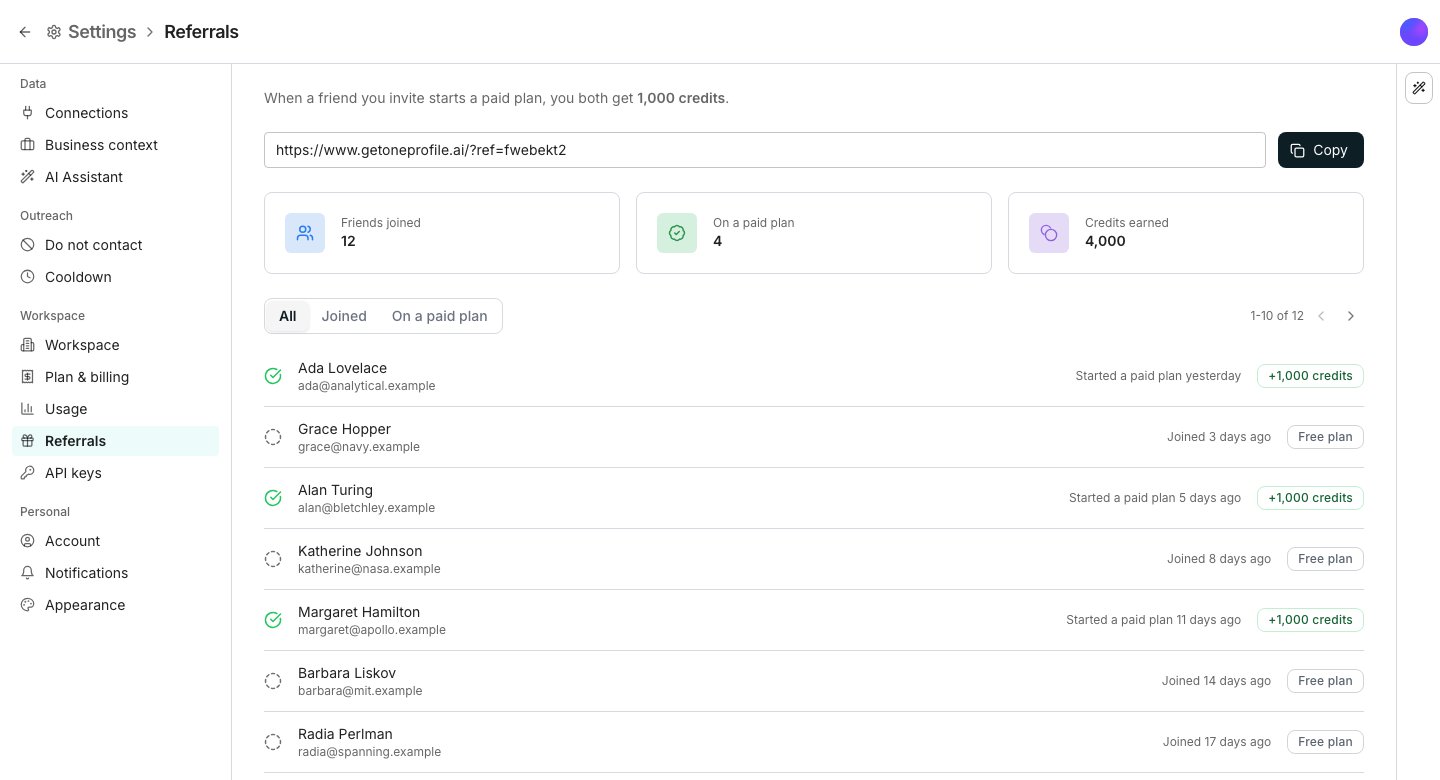
The Referrals pane, with the link above its three counts.
Share your link
Open Referrals in Settings. Your referral link sits at the top, so click Copy and send it however you like. Anyone who signs up through your link is credited to you automatically. There is nothing for them to enter.Read what it earned
Three cards sit under the link. Friends joined counts everyone who signed up, and On a paid plan counts the ones who went on to pay. Credits earned is the running total. The list below names each referral with its status. Joined covers a new account, and it changes once they pay. Filter the list with All, Joined and On a paid plan.Good to know
How many credits does a referral earn?
How many credits does a referral earn?
You both get the same amount, and it lands when your friend starts a paid plan. Signing up earns nothing on its own. The exact amount is written into the text above your link, because it can change.
Do referral credits expire?
Do referral credits expire?
No. Credits earned from a referral stay on your balance until you spend them.
When does the reward arrive?
When does the reward arrive?
When your friend starts paying. Their row moves under On a paid plan at the same time.
What does my friend see?
What does my friend see?
Opening your link shows them an invitation before they sign up, so they know the credits are waiting on their first paid plan.
Can I refer someone who already has an account?
Can I refer someone who already has an account?
No. The link credits a new sign-up, so someone who already has a workspace cannot be referred into one.
Next steps
Credits and billing
Where your balance lives and what spends it.
Usage and reports
See where the credits you earned went.