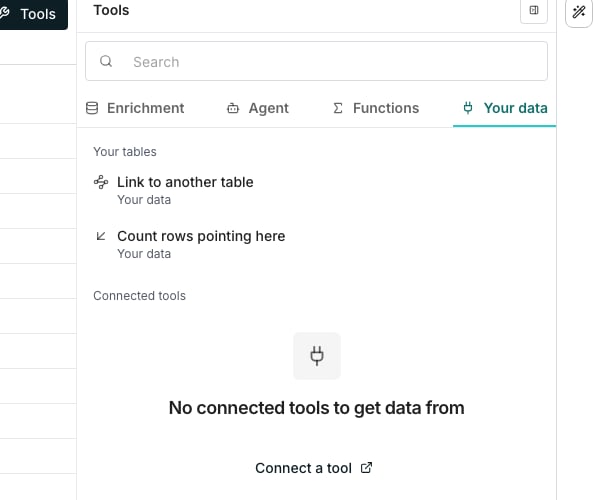
Both columns, under Your tables on the Your data tab of Tools.
Link each row to another table
Open Your data
Pick the other table
Choose what to match on
Pick the values to bring back
Create the column
Read a linked cell
The cell shows the other row’s name as a chip, taken from Shown as. Click it to see which column it matched on and every value it brought back.- Open in Companies opens that row in the other table.
- The + beside a value gives it its own column.
Count the rows pointing here
Open the other table
Pick the table and its link
Keep links current
A link updates itself. When the other table changes, only the link cells that changed update, and the columns reading them run again like any other dependent cell.Good to know
How does a row pick its match?
How does a row pick its match?
https://, www., and a trailing slash, so www.acme.com/ matches acme.com.Which name does a linked cell show?
Which name does a linked cell show?
Why can't I tick a value under Bring back?
Why can't I tick a value under Bring back?
What changes count as the other table changing?
What changes count as the other table changing?
Does a link spend credits when it updates?
Does a link spend credits when it updates?
What happens to a link cell I edit by hand?
What happens to a link cell I edit by hand?
How big can the other table be?
How big can the other table be?
Why does Count rows pointing here find no link column?
Why does Count rows pointing here find no link column?
Why can't I change the Company column's table?
Why can't I change the Company column's table?
What happens to links when I copy a table?
What happens to links when I copy a table?
What does an exported file hold for these columns?
What does an exported file hold for these columns?
What does a Send row to another table cell show?
What does a Send row to another table cell show?
Can the AI Assistant add these columns?
Can the AI Assistant add these columns?