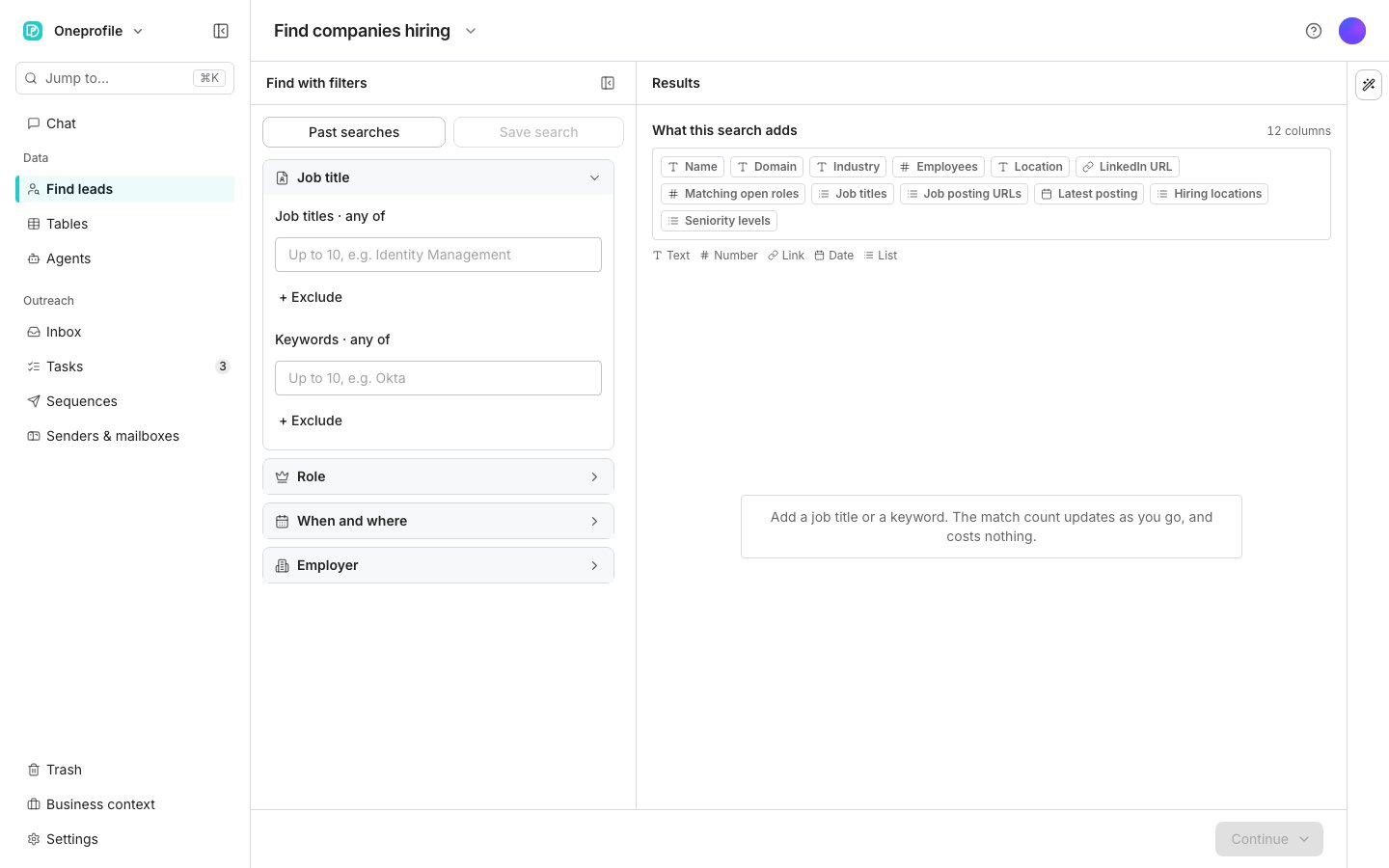
Find companies hiring, before a search is shaped.
Build a search
Open Find companies hiring and type a title into Job titles, such as Identity Management. Add more titles as alternatives. To match the posting itself rather than its title, type a phrase into Keywords. Narrow the roles under Role: seniority, departments, and job functions. Under When and where, set the day they were posted and the countries, states, or cities they are based in. Narrow the employer under Employer: industries, company domains, company sizes, technologies, and funding. The count is open job postings that match. Each company is added once, with every matching role on its row, so the table has fewer rows than the count.Save the matches to a table
Click Continue, then choose Save to a new table or Save to an existing table. The panel on the next step shows what a row costs before anything is added. Each row carries the company’s name, domain, industry, size, location, and LinkedIn URL. Beside them sit the matching roles: how many, their titles, and their seniority levels. Links to the postings follow, with where they are based and when the newest went up.Good to know
Why is there no preview?
Why is there no preview?
Rows in this search cost credits, and a preview would hand over rows for free. The column plan shows what a row will hold, and the count is free.
Why does the table have fewer rows than the count?
Why does the table have fewer rows than the count?
The count is open postings. A company with five matching roles is one row with five roles on it.
How are titles matched?
How are titles matched?
Each title is matched as a whole phrase, in order. Identity Management finds Senior Identity Management Engineer and not Manager of Identity. Add spellings as separate titles, up to ten.
What does the notice about missing companies mean?
What does the notice about missing companies mean?
A search reads a limited number of postings. When a few employers have very many matching roles, the search can reach that limit before it has read every posting. Narrow the title or add a filter to reach the rest.
Can I check a named list of companies?
Can I check a named list of companies?
Yes. Put their domains under Company domains and the search only reads roles at those companies.
Next steps
Choose what to enrich
Pick the details to fill in before the rows are added.
People and companies
Search people and companies by who they are.