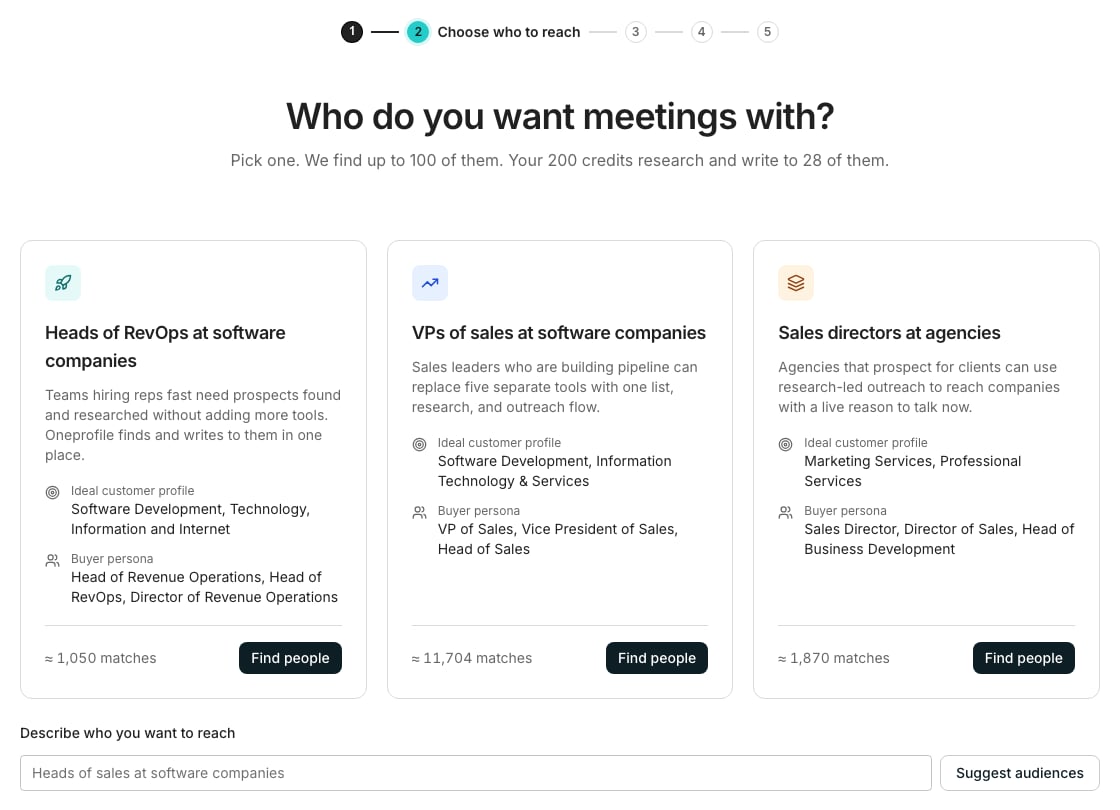
Choose who to reach, after the research has read your website.
Walk the preview
1
Type your website
Enter your company’s website in the box and click Research my company. Use the company’s own website, not a personal mail domain.
2
Read the research
Research your company reads your website and fills in the Business context every message is written from. It usually takes about 30 seconds.
3
Pick who to reach
Choose who to reach suggests audiences under “Who do you want meetings with?”. Click Find people on one, or type your own under Describe who you want to reach.
4
See the people found
The Find people step finds up to 100 people in that audience, with their work emails and LinkedIn profiles.
5
Read the first emails
Review the messages shows the email and LinkedIn message written for your top people. Click Looks good, or write a note and the agent rewrites them.
6
Connect a mailbox to keep it
Connect your mailbox asks for the work account you send from. Click Continue with Google and start sending to make your account and keep everything in the preview.
Finish setting up
Leave the wizard with Skip for now or Exit and the work is kept in your workspace. While you have a setup left unfinished, a Finish setting up card sits in the sidebar, with the line “Your sequence for getoneprofile.ai” under it. Click the card to open the wizard again, on the step it reached. With the sidebar collapsed, the card is an icon whose tooltip reads “Finish setting up your sequence for getoneprofile.ai”.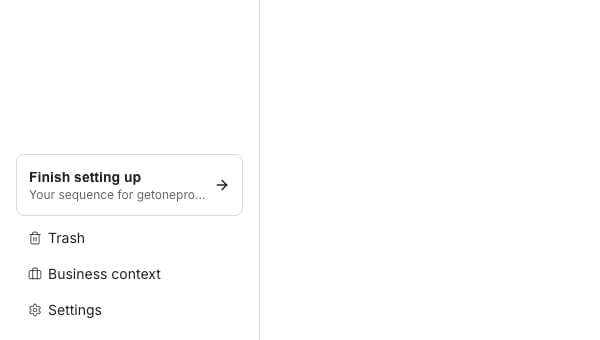
The Finish setting up card in the sidebar.
Good to know
Where is my preview kept before I sign up?
Where is my preview kept before I sign up?
In this browser. Exit takes you to our website, and coming back to the same browser opens the preview where you left it. A preview nobody keeps ends, and the page then says “Your preview has ended.”
Why does the card say Set up your first sequence instead?
Why does the card say Set up your first sequence instead?
The card names a setup you can start, not one to finish. Until a sequence in your workspace is launched, the person who made the workspace sees Set up your first sequence, or Set up another sequence once the workspace holds one.
When does the Finish setting up card go away?
When does the Finish setting up card go away?
When that setup is finished, or once any sequence in your workspace is launched. You have one unfinished setup at a time, so starting one for another website ends the first.
Can I go back to an earlier step?
Can I go back to an earlier step?
Yes. Click a step’s number at the top of the wizard to open it again, then Continue to come back.
Can I send from Outlook?
Can I send from Outlook?
Where Outlook is offered, click Continue with Outlook and start sending. Where it is not yet, leave your work email under Send from Outlook? and we will tell you when it works.
Next steps
Quickstart
Find leads in a table, fill in their work emails, and send a sequence.
Workspace and team
Invite your team to the workspace.