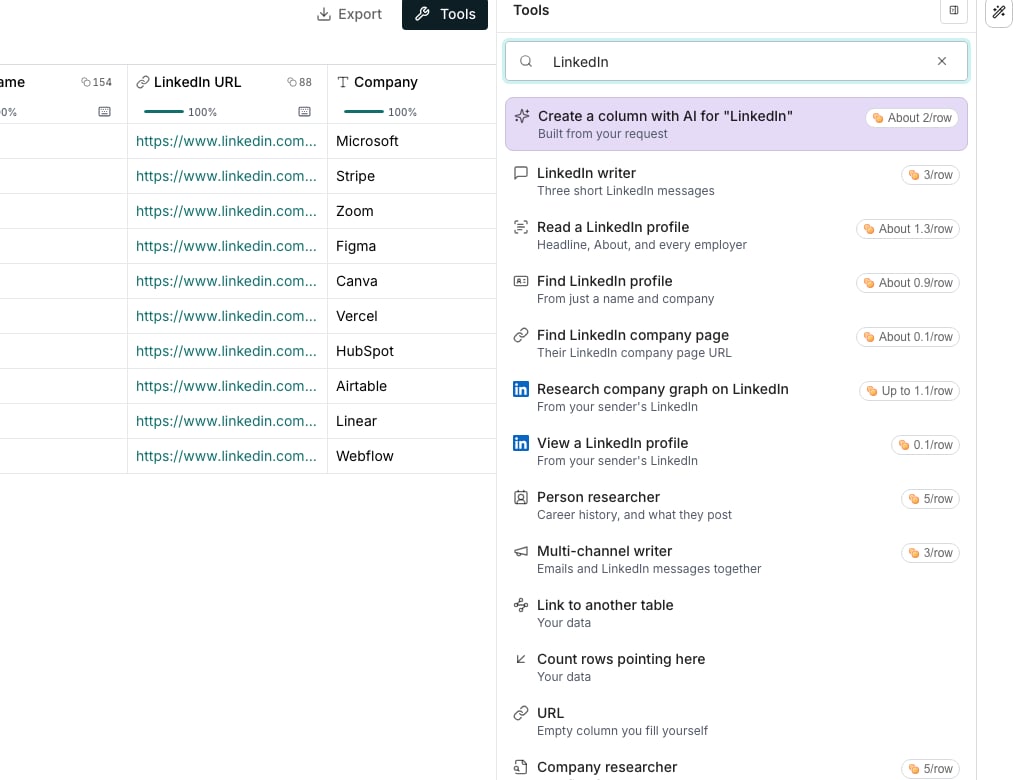
Both LinkedIn enrichments in the Tools catalog, each priced per row.
Add a LinkedIn column
1
Search the catalog
Open a table from Tables, click Tools, and type LinkedIn in the search box.
2
Pick the enrichment
Click View a LinkedIn profile for a column of LinkedIn URLs. Click Research company graph on LinkedIn for a column of company pages.
3
Choose the sender
Pick the Sender whose LinkedIn reads the pages. Only a sender with LinkedIn connected can run it.
4
Run the column
Run it like any column. Each cell waits for the sender’s browser, then fills as the page is read.
Map a company’s buying committee
Research company graph on LinkedIn reads the company page, then searches its people for the roles that buy what you sell. The cell keeps the buying committee, and the people land in a table of their own. Set Most people per company to cap how many people it reads. Turn on Also open each person’s profile to read each one in full. To map one company, open its account and click Map on LinkedIn. See Accounts.Watch the sender’s work
The sender’s LinkedIn tab lists every column running there under From tables. Click Cancel queued to take a table’s waiting steps out of line. A step the browser already runs finishes.Good to know
What does a LinkedIn column cost?
What does a LinkedIn column cost?
Each page the browser opens and each person found costs credits, even a page with nothing to read. A step that never runs costs nothing. The price shows before you run.
Do these columns use the sender's daily LinkedIn limits?
Do these columns use the sender's daily LinkedIn limits?
Yes. Every page read counts toward the sender’s daily limits, shared with their sequences. Neither goes first: steps take turns in the sender’s line.
What happens while the sender's browser is offline?
What happens while the sender's browser is offline?
The cells wait and say what they wait for. They fill on their own once the browser is back, with nothing to run again.
Is a profile read here the same as the Person shelf's?
Is a profile read here the same as the Person shelf's?
Yes. View a LinkedIn profile fills the same fields, read from the sender’s own LinkedIn instead.
Who picks the buying committee?
Who picks the buying committee?
The AI picks the roles from what your workspace sells and who buys it. Set those in AI context, and the next run searches for them.
Can the AI Assistant add these columns?
Can the AI Assistant add these columns?
Yes. Ask it to view profiles or research a company graph on LinkedIn, and name the sender when you have more than one.
Next steps
Connect LinkedIn
Connect a sender’s LinkedIn to the browser extension.
Accounts
Map one company on LinkedIn from its account.