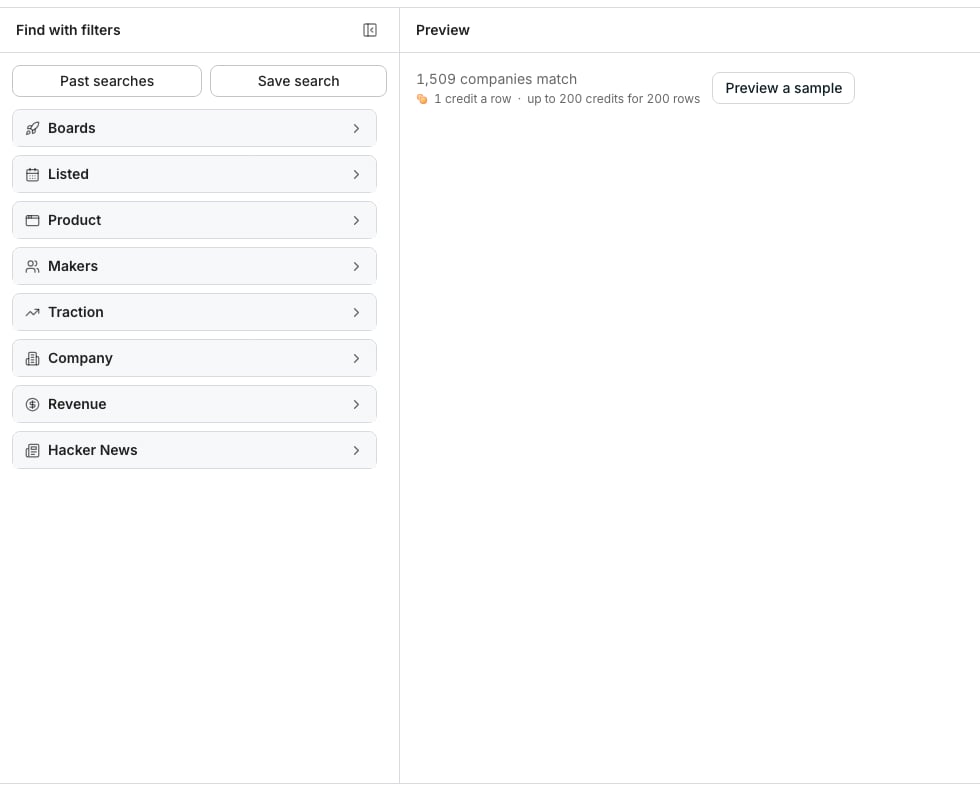
A new search, with its count and price before any company is added.
Pick the boards and the days
Open Find startup launches. Pick the boards to search, or keep every one: Y Combinator, BetaList, TinyLaunch, Uneed, MicroLaunch, TrustMRR, Hacker News, and Product Hunt. Then pick the days the companies were listed on. Listed on is the day a board listed the company. It is not the day the company launched. Keywords search each company’s name, tagline, and description. Write them as you would search the web: “exact phrase”, OR between words, and -word to leave a word out.Narrow by what a board shows
Some facts appear on only some boards, such as votes, a YC batch, or monthly revenue. A filter on one of them keeps only companies from the boards that show it. Leaving out promoted listings is the exception: it drops the paid placements of the boards that mark them and keeps every other board’s companies. By default, only companies with a website of their own are listed. Turn that off to include launches whose only link is a GitHub, App Store, or board page.Preview and save the companies
Click Preview a sample to see a few companies with their tagline, board, and listing day. Click Continue, then choose Save to a new table or Save to an existing table. Each company added costs 1 credit, so 100 companies cost 100 credits.Good to know
What does a row carry?
What does a row carry?
The company’s name, website, domain, tagline, and description. Then every board it is listed on, its newest listing’s link and day, its categories, and its makers with their LinkedIn and X profiles. The company’s own LinkedIn and X profiles come last.Facts only some boards show have columns of their own: votes, comments, location, country, YC batch, team size, hiring, status, MRR, for sale, asking price, open source, pricing, and post kind. A table gets one of these columns only when one of its boards shows that fact.
Why was my search refused?
Why was my search refused?
Every filter has to hold on one board’s listing. A search that combines facts no single board shows, like votes with MRR, is refused instead of finding nothing. Remove one of the filters to search again.
Why are some columns empty on some rows?
Why are some columns empty on some rows?
A board that never shows a fact leaves that column empty on its rows. A Y Combinator company has no votes, and a Product Hunt launch has no YC batch.
Why is a company on one row when it launched on two boards?
Why is a company on one row when it launched on two boards?
Listings with the same website are one company. The Source column names every board it is listed on, newest first. The Listing URL and Listed on columns hold its newest listing.
Which companies are added first?
Which companies are added first?
The newest listings first. A search adds up to 5,000 companies.
What do the categories mean?
What do the categories mean?
Each board tags companies in its own words. Those tags are sorted into one list of categories, such as AI, Developer tools, and E-commerce, so a category means the same on every board.
What is a post kind?
What is a post kind?
How a company reached Hacker News: Show HN, Launch HN, or Hiring post. Show HN is someone showing what they built. Launch HN is a Y Combinator company launching. Hiring post is a company advertising a job.
What do I pay for?
What do I pay for?
Only the companies added to the table, at 1 credit each. The count and the preview are free, and each enrichment you tick has its own price.
Can I enrich the companies?
Can I enrich the companies?
Yes, and it is optional. Enrich company works from the Domain column, so it skips companies with no website of their own. See Choose what to enrich.
Can the search run again into the same table?
Can the search run again into the same table?
Yes, like any search behind a table. A run adds only the companies the table does not hold yet, newest first, so nothing is added or charged twice. A company shows up once its full details are in, so the last few hours of BetaList and Y Combinator launches may arrive on a later run. A window such as Past 30 days counts back from the day each run starts, so a table on a schedule keeps adding the newest launches. See Saved searches.
Next steps
Choose what to enrich
Pick the details to fill in before the rows are added.
Companies hiring
Find companies by the jobs they are hiring for.