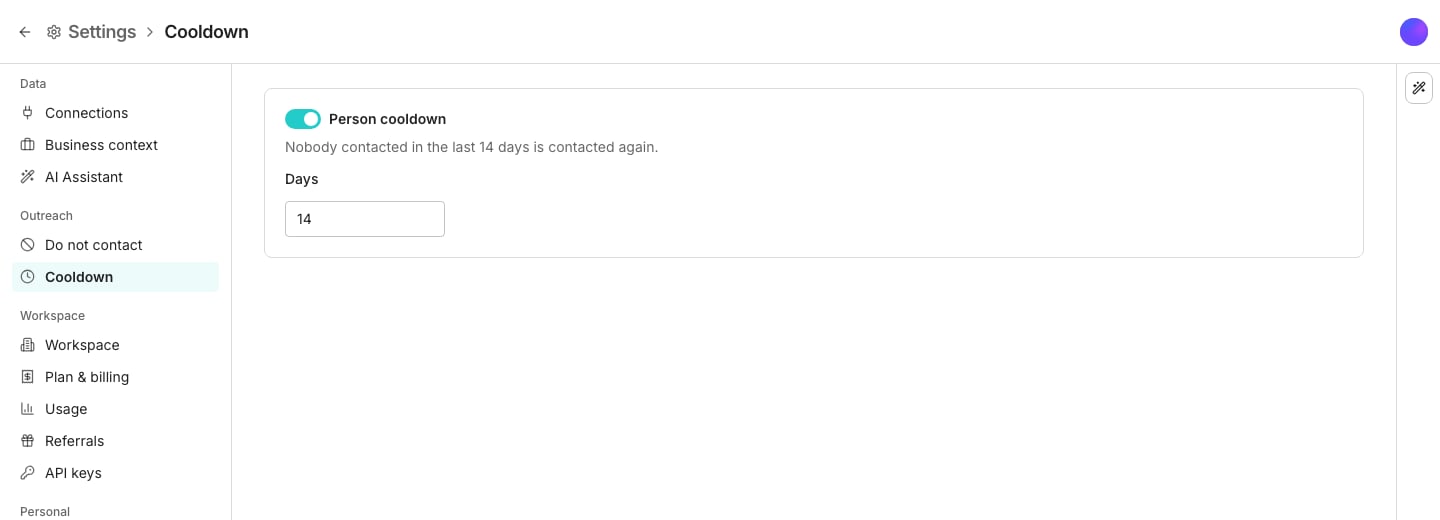
The Cooldown pane, in Settings.
Set the cooldown
1
Open Cooldown
Go to Cooldown in Settings.
2
Turn it on and choose a window
Enter a number of days. Anyone contacted within that many days is not contacted again until it passes.
What happens to a contact inside the window
They are stopped, with the reason on their row. The Audience tab reads In cooldown, and hovering it shows when they were last contacted. When the window passes, a contact nothing had reached yet starts at step one, as a new contact would. A contact stopped part-way through stays stopped, because their follow-ups were written for a conversation gone cold. Turn the cooldown off or shorten it, and the contacts it no longer refuses go on, from where they stopped. The rule is checked twice: when a sequence decides whether to enrol somebody, and again before every send. A contact reached by another sequence mid-cadence is stopped before the next message goes.Contact them anyway
Open the contact’s row menu on the Audience tab and choose Resume. They pick up at the step they stopped at, or at step one if nothing had reached them yet. This applies to that sequence only. Every other sequence still refuses them, and the clock is untouched.Good to know
What counts as contacting someone?
What counts as contacting someone?
An email send, a LinkedIn message, an InMail, and a connection request all start the clock. A profile view, a follow, a like, and a withdrawn connection request do not.Only what Oneprofile did. A date carried in from another tool is not part of the clock.
Why is a contact still stopped after the window passed?
Why is a contact still stopped after the window passed?
Something else holds them. They were stopped part-way through, they replied or bounced, they are on the do-not-contact list, or their row left the audience. Someone may also have reached them again since, which starts the window over.A window that passed before October 7, 2026 brings nobody back. Choose Resume on their row to contact them anyway.
Does the cooldown stop a sequence from finishing its own steps?
Does the cooldown stop a sequence from finishing its own steps?
No. A sequence’s own earlier messages never count against it, so a cadence runs to the end however short the window is.Only somebody else reaching the contact stops it. That is usually another sequence in the same workspace.
How is this different from the do-not-contact list?
How is this different from the do-not-contact list?
The do-not-contact list is compliance. Those people asked never to hear from you, only a person can take them off it, and no sequence can overrule it.A cooldown is your own pacing choice between sequences that are all allowed to send. You can overrule it for one contact in one sequence.
Can I see how many the cooldown will refuse before I launch?
Can I see how many the cooldown will refuse before I launch?
Only when you change the table. The audience dialog counts them as “Contacted recently” under Why contacts are left out, beside the rows with no address, the ones on the do-not-contact list, and the ones in another sequence.A cooldown never blocks a launch, even when it refuses the whole audience.
Why does Cooldown suggest a window?
Why does Cooldown suggest a window?
While the cooldown is off, the page suggests a window until someone answers it. Use this turns the cooldown on at that value, and Not now stops the suggestion for good. The AI Assistant can do either when you ask.
Where did exclusion lists go?
Where did exclusion lists go?
They were removed. Accounts you never want contacted go on the do-not-contact list, which accepts a whole domain as well as one address.
Next steps
Choose the audience
Pick a table and a view, and see who a sequence will enrol.
Do not contact
The list Oneprofile will never email, however long ago you last wrote.