> ## Documentation Index
> Fetch the complete documentation index at: https://docs.getoneprofile.ai/llms.txt
> Use this file to discover all available pages before exploring further.
# Imported columns
> Columns whose values come from a connected tool, what refreshes them, and why you cannot type in them.
An imported column is filled by the tool it came from, not by you. Its values change only when the table's source runs again.
 ## See where the values come from
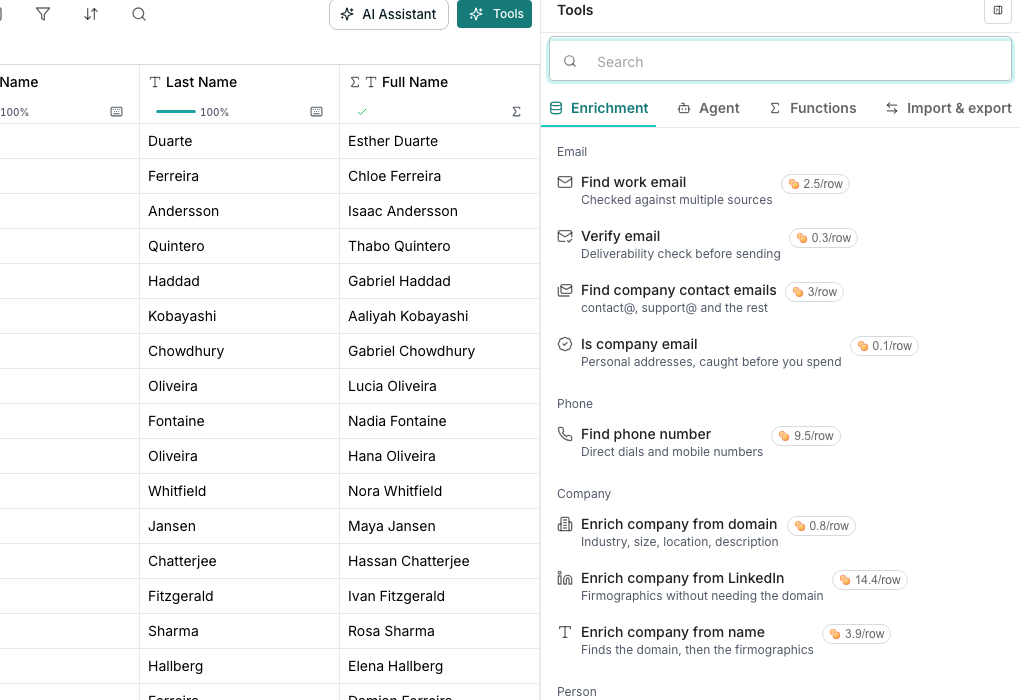
An imported column is marked **Pulled in from a connected tool**, so its cells fill from that tool rather than from typing. You cannot correct one by hand here; fix it at the source instead.
## Keep it up to date
Open the table's Source settings and click **Refresh now** to pull the latest records right away.
Click **Schedule refreshes** to re-import on a cadence, so the table stays current without you remembering.
## See the whole imported record
An imported cell shows a chip; open it to see every field the source returned, even ones without a column yet. Hover a field and click **Add as a column** to give it one.
## Good to know
Its type belongs to the import that writes it. Renaming and repositioning stay open, but the type is fixed, since changing it would blank the very data the import keeps filling in.
Nothing, until you ask. A plain refresh only adds and updates rows. Choose **Re-fetch and delete removed records** from the refresh menu to also remove rows the source has dropped.
Some connected tools report only what changed since last time; others resend everything on every refresh. Deleting removed rows always needs a full read, since a partial one cannot tell a deleted record from one it never checked.
Yes. Set a row limit in the table's Source settings, and leave it empty to import everything. A limit also blocks deleting removed rows, since a capped run cannot tell the difference.
## Next steps
Add rows from a spreadsheet you upload.
Connect a tool and bring its records into a table.
## See where the values come from
An imported column is marked **Pulled in from a connected tool**, so its cells fill from that tool rather than from typing. You cannot correct one by hand here; fix it at the source instead.
## Keep it up to date
Open the table's Source settings and click **Refresh now** to pull the latest records right away.
Click **Schedule refreshes** to re-import on a cadence, so the table stays current without you remembering.
## See the whole imported record
An imported cell shows a chip; open it to see every field the source returned, even ones without a column yet. Hover a field and click **Add as a column** to give it one.
## Good to know
Its type belongs to the import that writes it. Renaming and repositioning stay open, but the type is fixed, since changing it would blank the very data the import keeps filling in.
Nothing, until you ask. A plain refresh only adds and updates rows. Choose **Re-fetch and delete removed records** from the refresh menu to also remove rows the source has dropped.
Some connected tools report only what changed since last time; others resend everything on every refresh. Deleting removed rows always needs a full read, since a partial one cannot tell a deleted record from one it never checked.
Yes. Set a row limit in the table's Source settings, and leave it empty to import everything. A limit also blocks deleting removed rows, since a capped run cannot tell the difference.
## Next steps
Add rows from a spreadsheet you upload.
Connect a tool and bring its records into a table.