> ## Documentation Index
> Fetch the complete documentation index at: https://docs.getoneprofile.ai/llms.txt
> Use this file to discover all available pages before exploring further.
# Notifications
> Choose what Oneprofile tells you about, and send those alerts to Slack as well as email.
Notifications control what Oneprofile emails or Slacks you about, grouped under Inbox, Sender health and Credits. Turn each one on or off, per channel, on its own.
 ## Choose what you hear about
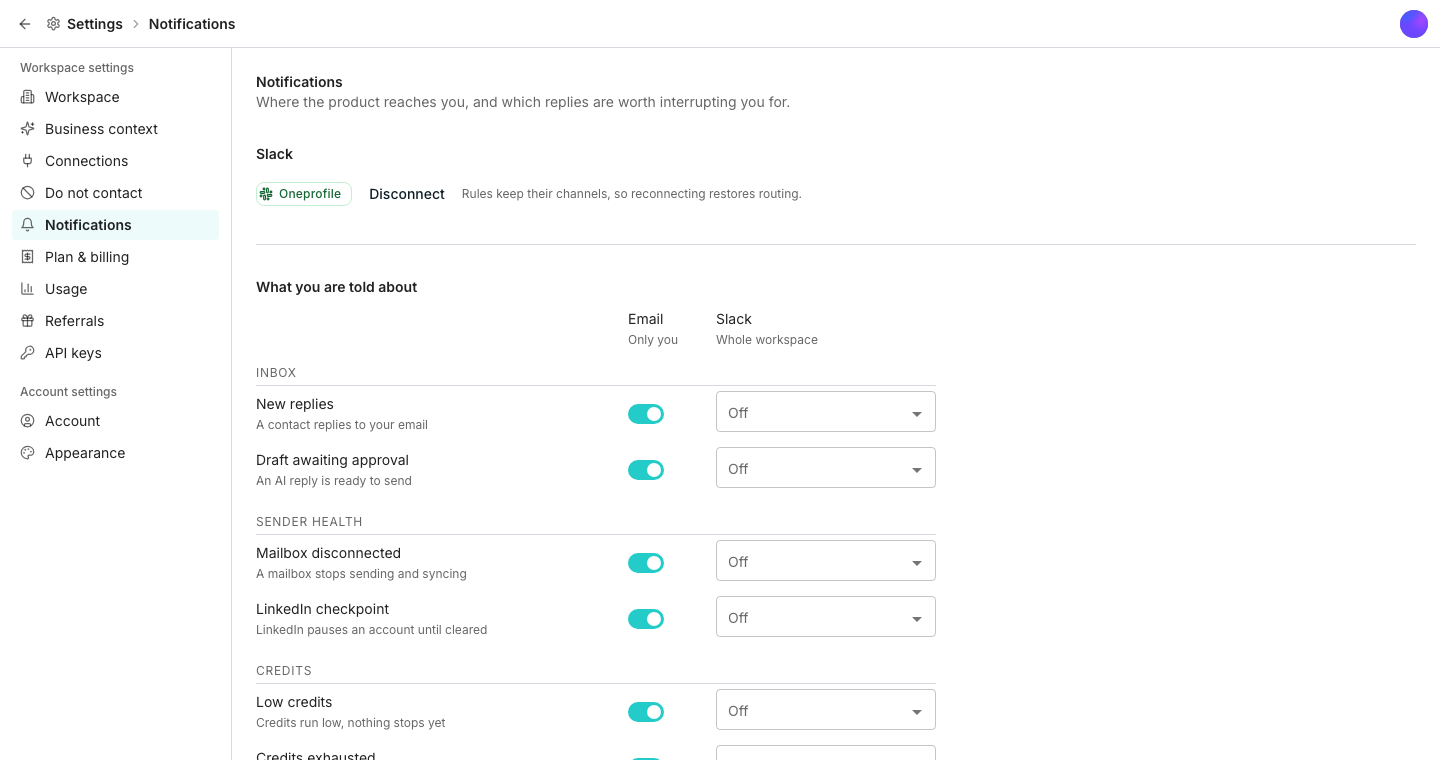
Every notification sits under one of three groups: **Inbox**, **Sender health** or **Credits**. Each has its own **Email** switch and its own **Slack** channel picker. That lets a reply go to email while a disconnected mailbox goes to Slack.
## Route alerts to Slack
Connect once, and every notification can route to any channel from then on.
Set a different channel for each one, or turn Slack off for it and leave it on email only.
## Notify a channel when a reply is labeled
Below the main grid, **Add rule** sends a notification whenever a reply gets a specific label, routed to whichever Slack channel you choose. A label with no rule stays quiet, which is how out-of-office replies avoid pinging anyone.
## Good to know
Inbox covers **New replies** and **Draft awaiting approval**. Sender health covers **Mailbox disconnected** and **LinkedIn checkpoint**. Credits covers **Low credits**, **Credits exhausted** and **Work paused**.
No. Every switch and channel picker works one notification at a time, not per group.
Your label rules keep their channels, so reconnecting the same workspace restores routing without setting it up again.
## Next steps
See where replies and drafts land once a notification points you there.
Check credit balance directly instead of waiting for an alert.
## Choose what you hear about
Every notification sits under one of three groups: **Inbox**, **Sender health** or **Credits**. Each has its own **Email** switch and its own **Slack** channel picker. That lets a reply go to email while a disconnected mailbox goes to Slack.
## Route alerts to Slack
Connect once, and every notification can route to any channel from then on.
Set a different channel for each one, or turn Slack off for it and leave it on email only.
## Notify a channel when a reply is labeled
Below the main grid, **Add rule** sends a notification whenever a reply gets a specific label, routed to whichever Slack channel you choose. A label with no rule stays quiet, which is how out-of-office replies avoid pinging anyone.
## Good to know
Inbox covers **New replies** and **Draft awaiting approval**. Sender health covers **Mailbox disconnected** and **LinkedIn checkpoint**. Credits covers **Low credits**, **Credits exhausted** and **Work paused**.
No. Every switch and channel picker works one notification at a time, not per group.
Your label rules keep their channels, so reconnecting the same workspace restores routing without setting it up again.
## Next steps
See where replies and drafts land once a notification points you there.
Check credit balance directly instead of waiting for an alert.