> ## Documentation Index
> Fetch the complete documentation index at: https://docs.getoneprofile.ai/llms.txt
> Use this file to discover all available pages before exploring further.
# Branch on a condition
> Send different steps to different people based on what you know about them, or what they did last.
A condition splits a sequence into a **Yes** path and a **No** path, based on a fact about the contact or something that already happened. Insert one from any connector on the canvas, the same way you insert a step.
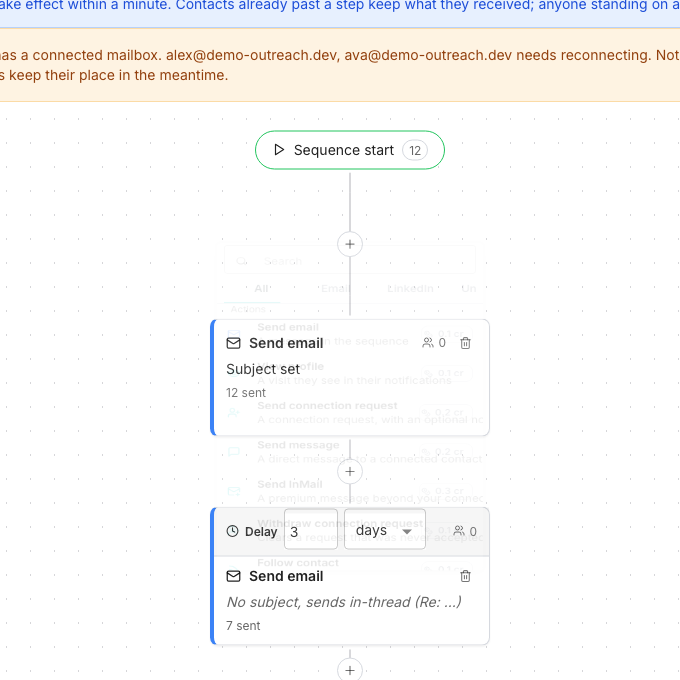 ## Insert a condition
Click the plus button on any connector and scroll to **Conditions**.
Choose from **Has an email address?**, **Has a LinkedIn URL?**, **Already connected?**, **Email bounced?**, **Replied?**, **Connection request accepted?** and **Has open profile?**.
Time-bound conditions ask within how many days to decide. Both branches then keep running on their own.
## Read the branches
Each edge out of a condition is labelled **Yes** or **No**, and once the sequence has run, with how many contacts took it. A condition that cannot yet be evidenced is disabled in the palette. **Connection request accepted?**, for example, needs a connection request step earlier in the path, and the tooltip says so.
## Good to know
It needs an earlier step it can check against. The tooltip on the disabled row names exactly what is missing.
They keep going down whatever is connected there. If nothing is, the sequence ends for them.
**Already connected?** looks for a connection this workspace made itself, through an accepted request or an existing thread. An older connection reads as no.
**Has open profile?** looks for a free-to-message LinkedIn Premium profile. When that is not already known, a profile view checks it first.
Yes. Deleting a condition keeps its Yes branch, so the steps after it stay connected to whatever came before.
## Next steps
Add steps and conditions to the canvas.
Add the LinkedIn actions a condition can branch on.
## Insert a condition
Click the plus button on any connector and scroll to **Conditions**.
Choose from **Has an email address?**, **Has a LinkedIn URL?**, **Already connected?**, **Email bounced?**, **Replied?**, **Connection request accepted?** and **Has open profile?**.
Time-bound conditions ask within how many days to decide. Both branches then keep running on their own.
## Read the branches
Each edge out of a condition is labelled **Yes** or **No**, and once the sequence has run, with how many contacts took it. A condition that cannot yet be evidenced is disabled in the palette. **Connection request accepted?**, for example, needs a connection request step earlier in the path, and the tooltip says so.
## Good to know
It needs an earlier step it can check against. The tooltip on the disabled row names exactly what is missing.
They keep going down whatever is connected there. If nothing is, the sequence ends for them.
**Already connected?** looks for a connection this workspace made itself, through an accepted request or an existing thread. An older connection reads as no.
**Has open profile?** looks for a free-to-message LinkedIn Premium profile. When that is not already known, a profile view checks it first.
Yes. Deleting a condition keeps its Yes branch, so the steps after it stay connected to whatever came before.
## Next steps
Add steps and conditions to the canvas.
Add the LinkedIn actions a condition can branch on.