> ## Documentation Index
> Fetch the complete documentation index at: https://docs.getoneprofile.ai/llms.txt
> Use this file to discover all available pages before exploring further.
# Sequence analytics
> See how a sequence is doing step by step, compare senders, and export the numbers behind the charts.
Sequence analytics breaks a launched sequence down by step, sender and day. Use it to spot the mailbox or step dragging down your numbers, then export the detail.
 ## Read the funnel and the charts
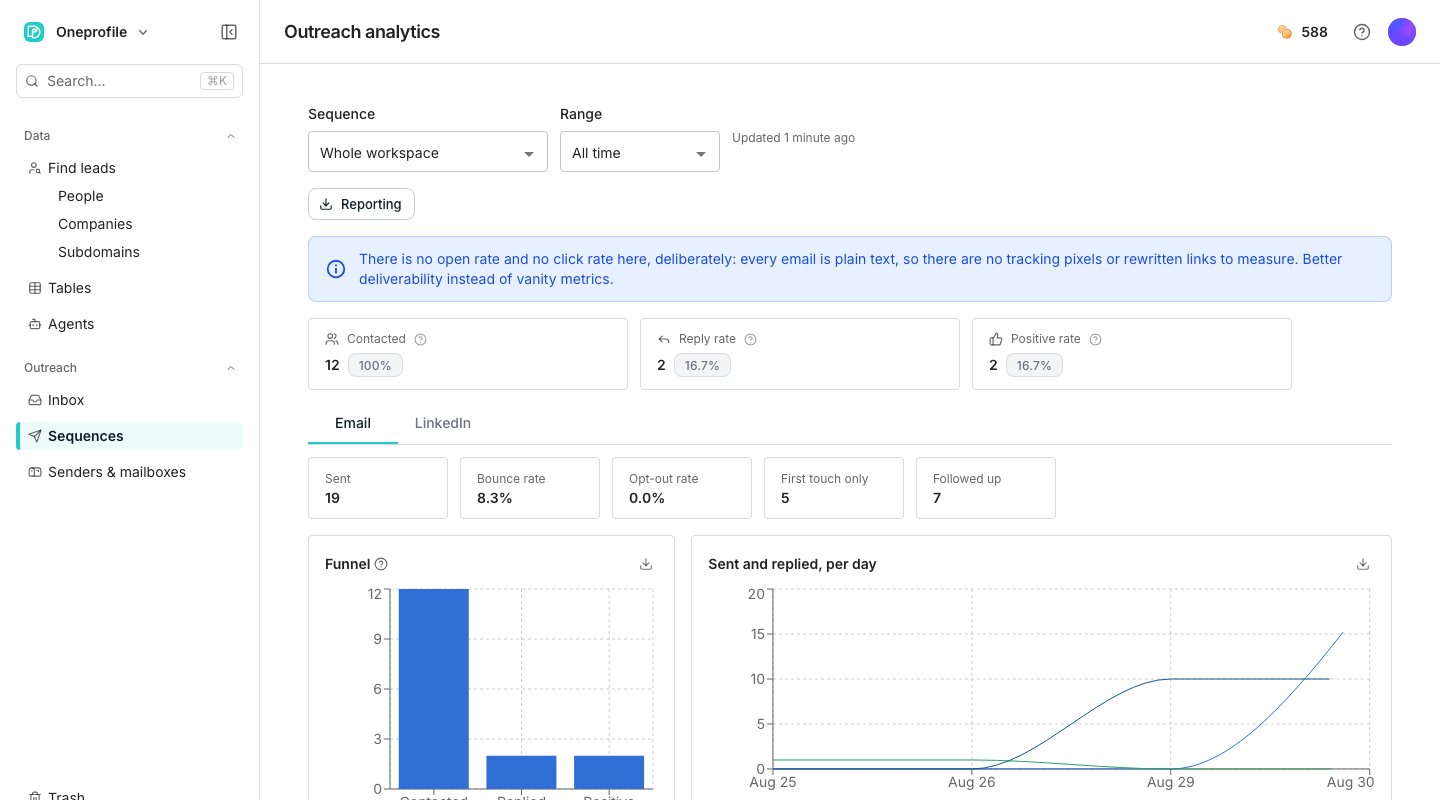
The funnel counts contacts through Added, Contacted, Replied and Positive, plus Opportunities when a sequence tracks them. A daily chart plots sends and replies over time. A **Message performance** table breaks results down by step, so you can see which email is earning the replies.
## Compare senders
The **Sender leaderboard** ranks every mailbox worst performer first, so a mailbox dragging down deliverability surfaces at the top. Reply rate, bounce rate and opt-outs sit beside each mailbox, and a bounce rate over the health threshold is flagged. LinkedIn senders get their own leaderboard beside it.
## Export the numbers
Click **Reporting** to download the detail behind the charts as a CSV, or open the full send log as a table. **Emails and messages report** opens every message the sequence has sent as its own table, exportable like any other.
## Good to know
Oneprofile does not add tracking pixels or rewrite your links, so there is nothing to measure opens or clicks with. Reply rate and positive rate measure what actually happened instead.
A thread carrying a label marked to track as positive. Reply rate counts anyone who replied, while positive rate counts only threads labeled that way.
Yes. A tab above the charts switches the metrics and daily chart between email and LinkedIn, and LinkedIn senders get their own leaderboard.
A CSV of every contact the sequence enrolled, with their status, why they stopped and when they replied.
## Next steps
Put a dollar value on the replies a sequence produces.
See what a sequence needs before it can send.
## Read the funnel and the charts
The funnel counts contacts through Added, Contacted, Replied and Positive, plus Opportunities when a sequence tracks them. A daily chart plots sends and replies over time. A **Message performance** table breaks results down by step, so you can see which email is earning the replies.
## Compare senders
The **Sender leaderboard** ranks every mailbox worst performer first, so a mailbox dragging down deliverability surfaces at the top. Reply rate, bounce rate and opt-outs sit beside each mailbox, and a bounce rate over the health threshold is flagged. LinkedIn senders get their own leaderboard beside it.
## Export the numbers
Click **Reporting** to download the detail behind the charts as a CSV, or open the full send log as a table. **Emails and messages report** opens every message the sequence has sent as its own table, exportable like any other.
## Good to know
Oneprofile does not add tracking pixels or rewrite your links, so there is nothing to measure opens or clicks with. Reply rate and positive rate measure what actually happened instead.
A thread carrying a label marked to track as positive. Reply rate counts anyone who replied, while positive rate counts only threads labeled that way.
Yes. A tab above the charts switches the metrics and daily chart between email and LinkedIn, and LinkedIn senders get their own leaderboard.
A CSV of every contact the sequence enrolled, with their status, why they stopped and when they replied.
## Next steps
Put a dollar value on the replies a sequence produces.
See what a sequence needs before it can send.