> ## Documentation Index
> Fetch the complete documentation index at: https://docs.getoneprofile.ai/llms.txt
> Use this file to discover all available pages before exploring further.
# Clear the launch checks
> What a sequence needs before it can send, what each blocker means, and what the estimates are telling you.
Oneprofile checks a sequence against a short list of requirements before it can send. Every unmet one blocks Launch until you fix it.
 ## Fix what the checklist finds
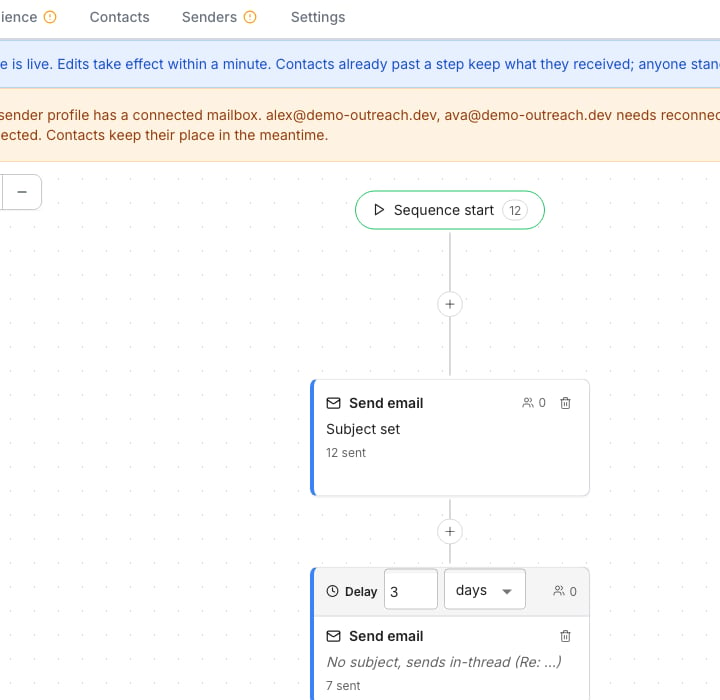
Open **Launch** on a sequence to see its checklist. Issues come from four places: your audience, your senders, your sending settings and your steps.
* A missing audience table, or no column mapped to an email address or LinkedIn profile
* A sender with no connected mailbox or LinkedIn account
* No opt-out footer, or a sending window with no open day
* A step with no message, or a placeholder typed instead of inserted from the menu
Click **Fix** beside any issue to jump to the tab that needs attention. Launch stays disabled until the list is empty.
## Read the capacity and cost
Once every check is clear, the checklist gives way to a readout. It states how many emails a day your connected mailboxes can send, and how many days your credit balance covers at that rate. While you build the sequence, its Settings tab estimates how long sending will take, and the editor shows a running cost per contact.
## Good to know
A low balance is only a warning, but an empty one blocks the launch. Sending also pauses on its own if credits run out later, and resumes once you **Buy credits**.
It sums the daily sending limit of every connected mailbox assigned to the sequence, allowing for any mailbox still ramping up. Zero connected mailboxes means zero capacity, and Launch is blocked until one connects.
No. Every issue is a hard blocker, and the list must be empty before Launch is enabled. There is no way to skip one and launch anyway.
If your audience table keeps growing while the sequence runs, the estimate moves with it because there are more contacts left to reach.
## Next steps
See how a launched sequence is performing.
Add the steps and audience the checklist checks against.
## Fix what the checklist finds
Open **Launch** on a sequence to see its checklist. Issues come from four places: your audience, your senders, your sending settings and your steps.
* A missing audience table, or no column mapped to an email address or LinkedIn profile
* A sender with no connected mailbox or LinkedIn account
* No opt-out footer, or a sending window with no open day
* A step with no message, or a placeholder typed instead of inserted from the menu
Click **Fix** beside any issue to jump to the tab that needs attention. Launch stays disabled until the list is empty.
## Read the capacity and cost
Once every check is clear, the checklist gives way to a readout. It states how many emails a day your connected mailboxes can send, and how many days your credit balance covers at that rate. While you build the sequence, its Settings tab estimates how long sending will take, and the editor shows a running cost per contact.
## Good to know
A low balance is only a warning, but an empty one blocks the launch. Sending also pauses on its own if credits run out later, and resumes once you **Buy credits**.
It sums the daily sending limit of every connected mailbox assigned to the sequence, allowing for any mailbox still ramping up. Zero connected mailboxes means zero capacity, and Launch is blocked until one connects.
No. Every issue is a hard blocker, and the list must be empty before Launch is enabled. There is no way to skip one and launch anyway.
If your audience table keeps growing while the sequence runs, the estimate moves with it because there are more contacts left to reach.
## Next steps
See how a launched sequence is performing.
Add the steps and audience the checklist checks against.