> ## Documentation Index
> Fetch the complete documentation index at: https://docs.getoneprofile.ai/llms.txt
> Use this file to discover all available pages before exploring further.
# Do not contact
> The list of people Oneprofile will never email, how names reach it, and how to add or remove one yourself.
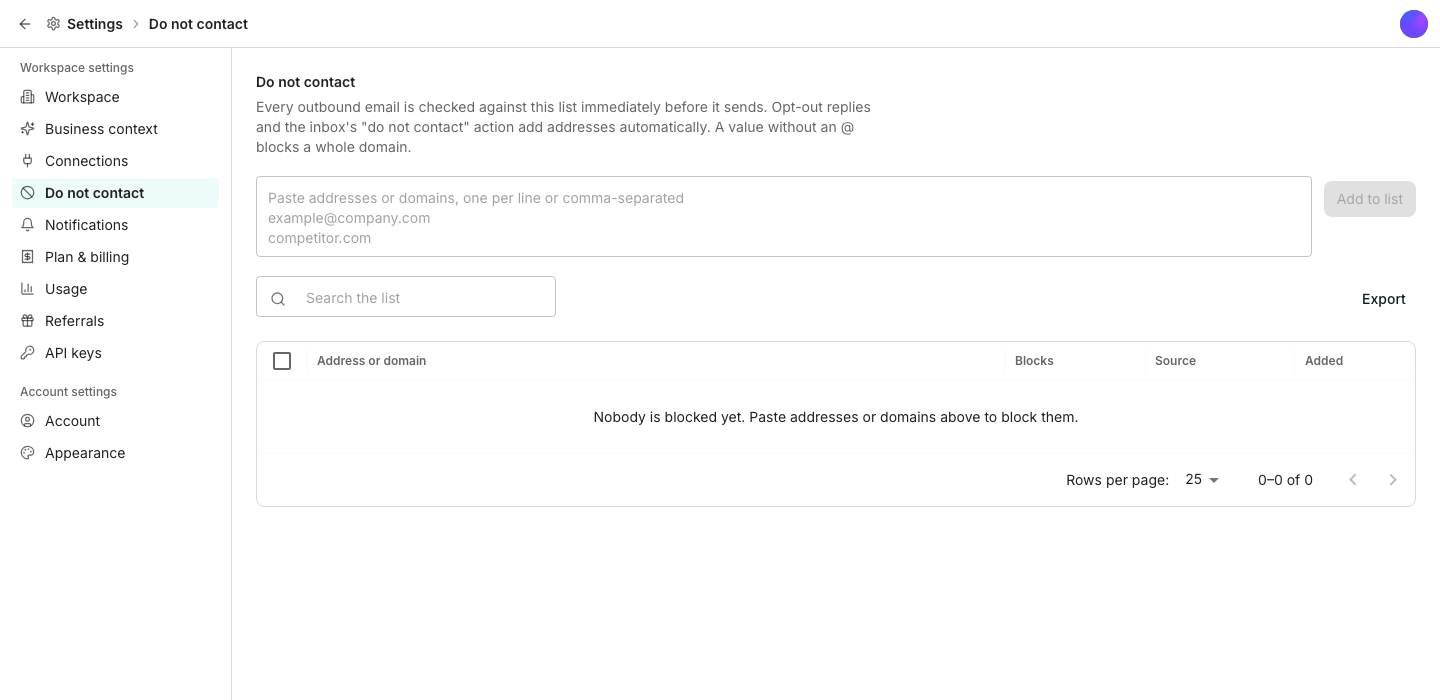
Every outbound email is checked against your do-not-contact list right before it sends. Names reach it automatically from opt-outs and bounces, or you add them yourself in Settings.
 ## Add and remove people yourself
Paste addresses or domains, one per line or separated by commas.
An entry with no @ sign blocks a whole domain instead of one address.
That lets Oneprofile email them again. It never happens on its own.
## Let names reach the list automatically
An opt-out reply or a click on a sequence's unsubscribe link adds the address automatically, and stops every sequence it was enrolled in. A hard-bounced address is blocked workspace wide, since a bounce proves the address does not exist. The inbox's **Do not contact** action on a thread does the same.
## Export the list
Click **Export** to download the whole list as plain text, one value per line, ready to paste into another tool.
## Good to know
No. Removing only lets future emails reach them again. It does not re-enroll them in anything they were stopped from.
A sequence's **Unsubscribe footer** setting appends an opt-out line to every email it sends, and can include a one-click unsubscribe link. Acting on either one stops every future email to the contact.
Blocking someone from the inbox shows which active sequences it stops before you confirm. The Settings list itself does not show a per-row impact preview.
Yes. Adding a value with no @ sign blocks every address on that domain, not just the one you had in mind.
## Next steps
Read replies and apply the do-not-contact action from a thread.
Add an opt-out footer while you build a sequence.
## Add and remove people yourself
Paste addresses or domains, one per line or separated by commas.
An entry with no @ sign blocks a whole domain instead of one address.
That lets Oneprofile email them again. It never happens on its own.
## Let names reach the list automatically
An opt-out reply or a click on a sequence's unsubscribe link adds the address automatically, and stops every sequence it was enrolled in. A hard-bounced address is blocked workspace wide, since a bounce proves the address does not exist. The inbox's **Do not contact** action on a thread does the same.
## Export the list
Click **Export** to download the whole list as plain text, one value per line, ready to paste into another tool.
## Good to know
No. Removing only lets future emails reach them again. It does not re-enroll them in anything they were stopped from.
A sequence's **Unsubscribe footer** setting appends an opt-out line to every email it sends, and can include a one-click unsubscribe link. Acting on either one stops every future email to the contact.
Blocking someone from the inbox shows which active sequences it stops before you confirm. The Settings list itself does not show a per-row impact preview.
Yes. Adding a value with no @ sign blocks every address on that domain, not just the one you had in mind.
## Next steps
Read replies and apply the do-not-contact action from a thread.
Add an opt-out footer while you build a sequence.