> ## Documentation Index
> Fetch the complete documentation index at: https://docs.getoneprofile.ai/llms.txt
> Use this file to discover all available pages before exploring further.
# MCP servers
> Add a tool server to your workspace, sign in to it once, and let your agents use it.
An MCP server gives your agents a set of tools to call, like searching a wiki or reading issues. Add one to your workspace, connect it once, then choose which agents can use it.
 ## Add a server
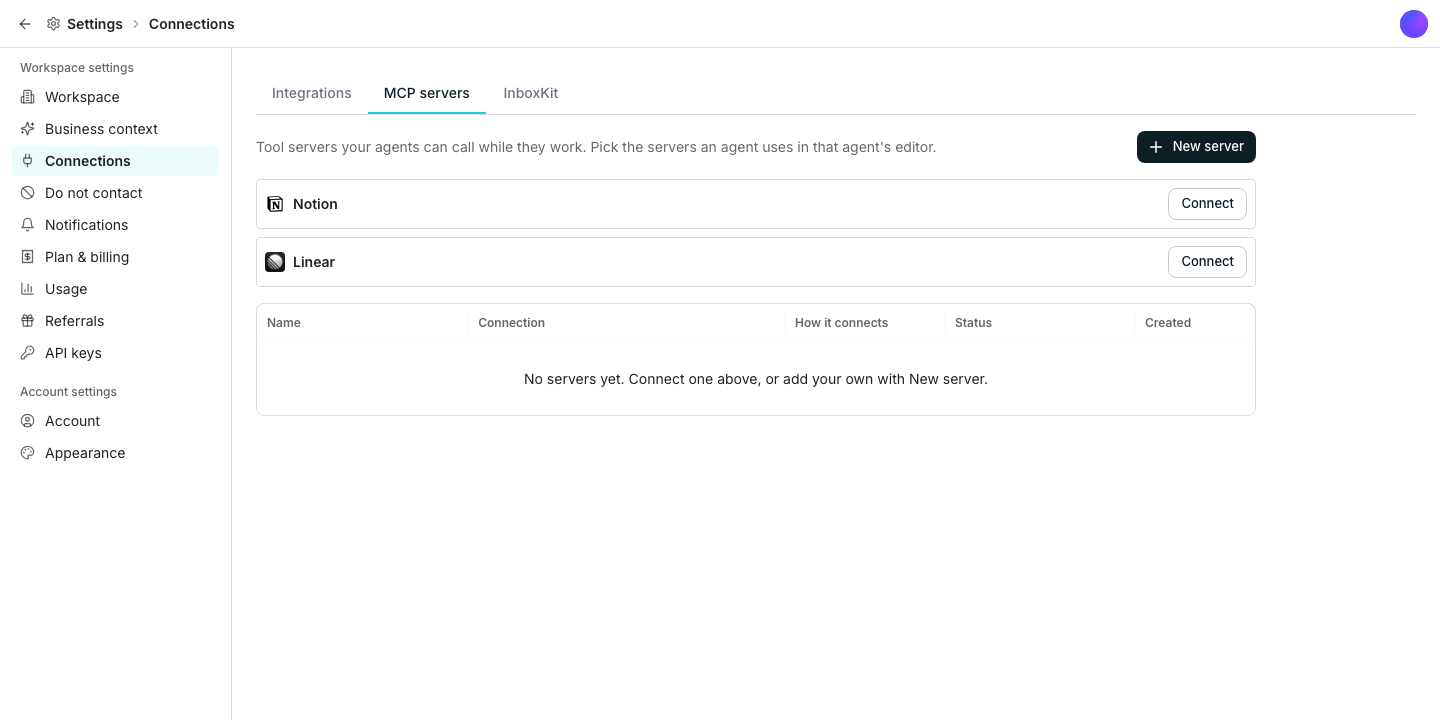
Find it under Connections.
Click **Connect** on a listed tile to sign in, or open **New server** to add one by URL and an API key instead.
Open an agent's editor and click **Add existing server**, or **Add to agent** straight from the catalog tile.
## Two ways to connect
A catalog server signs in with **Sign-in**, the same way you would sign into that tool directly. A custom server connects with an **API key** instead, pasted in along with the headers it needs.
## Remove a server
**Remove from this agent** stops one agent from using a server without touching anyone else's access. **Delete** removes the server from the whole workspace and every agent that used it.
## Good to know
Its name and a short line describing what it can do. Once connected, **Test connection** lists the tools it actually exposes.
The sign-in behind that server expired or was revoked. Reconnect it from the servers table or an agent's list.
No. Adding it to the workspace makes it available, but each agent only gets to use the servers you add to that specific agent.
## Next steps
Browse the tools Oneprofile connects to directly.
Give an agent the servers it needs while you build it.
## Add a server
Find it under Connections.
Click **Connect** on a listed tile to sign in, or open **New server** to add one by URL and an API key instead.
Open an agent's editor and click **Add existing server**, or **Add to agent** straight from the catalog tile.
## Two ways to connect
A catalog server signs in with **Sign-in**, the same way you would sign into that tool directly. A custom server connects with an **API key** instead, pasted in along with the headers it needs.
## Remove a server
**Remove from this agent** stops one agent from using a server without touching anyone else's access. **Delete** removes the server from the whole workspace and every agent that used it.
## Good to know
Its name and a short line describing what it can do. Once connected, **Test connection** lists the tools it actually exposes.
The sign-in behind that server expired or was revoked. Reconnect it from the servers table or an agent's list.
No. Adding it to the workspace makes it available, but each agent only gets to use the servers you add to that specific agent.
## Next steps
Browse the tools Oneprofile connects to directly.
Give an agent the servers it needs while you build it.