> ## Documentation Index
> Fetch the complete documentation index at: https://docs.getoneprofile.ai/llms.txt
> Use this file to discover all available pages before exploring further.
# Work emails and verification
> How a work email is found, what each verification status means, and why some addresses stay uncertain.
Finding a work email and checking whether it is deliverable are two separate actions. Run **Find work email** first, then **Verify email** to know if it will actually land.
 ## Find an address
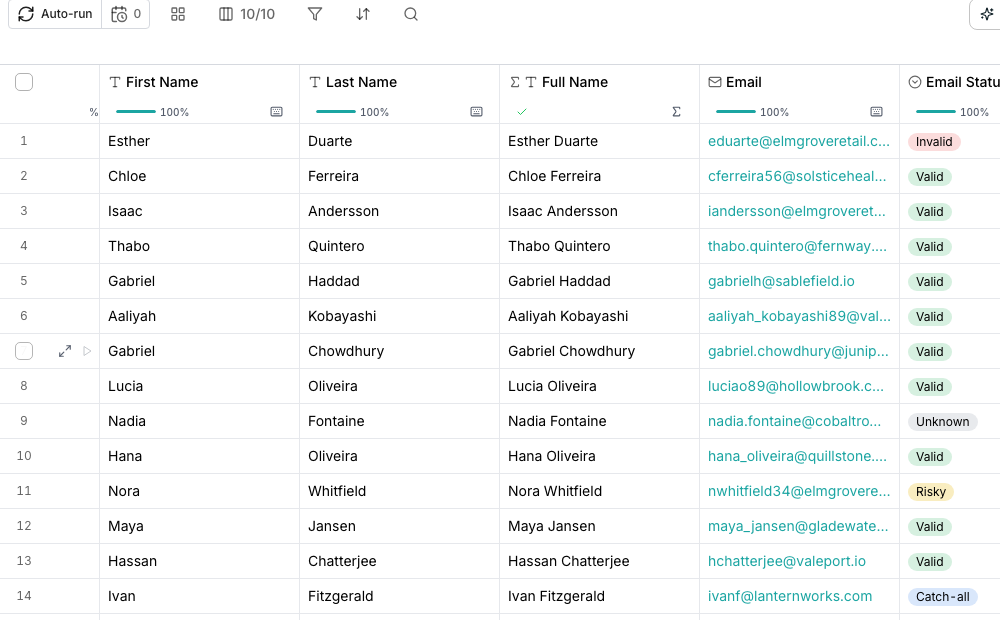
**Find work email** checks a person's name and company against multiple sources until one confirms an address. It returns the address alone; it never claims the mailbox will accept mail.
## Check whether it is deliverable
**Verify email** looks up one address and returns a **Deliverability** verdict: valid, risky, catch-all, invalid, disposable or unknown.
## Good to know
The domain accepts mail sent to almost any address at it, so it cannot confirm this particular one is real. Treat it as a soft yes rather than a confirmed address.
None of the sources checked could reach a verdict, often because a mail server temporarily refused the check. Verify it again later rather than treating it as invalid.
No. Finding an address checks multiple sources for a match. Verifying deliverability is a separate action, with its own column and its own cost.
Yes. Bind Verify email's input to the column Find work email fills, so a new row runs both, one after the other.
## Next steps
See every shelf in the enrichment catalog.
Read the cost before you run, and know what you're charged for.
## Find an address
**Find work email** checks a person's name and company against multiple sources until one confirms an address. It returns the address alone; it never claims the mailbox will accept mail.
## Check whether it is deliverable
**Verify email** looks up one address and returns a **Deliverability** verdict: valid, risky, catch-all, invalid, disposable or unknown.
## Good to know
The domain accepts mail sent to almost any address at it, so it cannot confirm this particular one is real. Treat it as a soft yes rather than a confirmed address.
None of the sources checked could reach a verdict, often because a mail server temporarily refused the check. Verify it again later rather than treating it as invalid.
No. Finding an address checks multiple sources for a match. Verifying deliverability is a separate action, with its own column and its own cost.
Yes. Bind Verify email's input to the column Find work email fills, so a new row runs both, one after the other.
## Next steps
See every shelf in the enrichment catalog.
Read the cost before you run, and know what you're charged for.